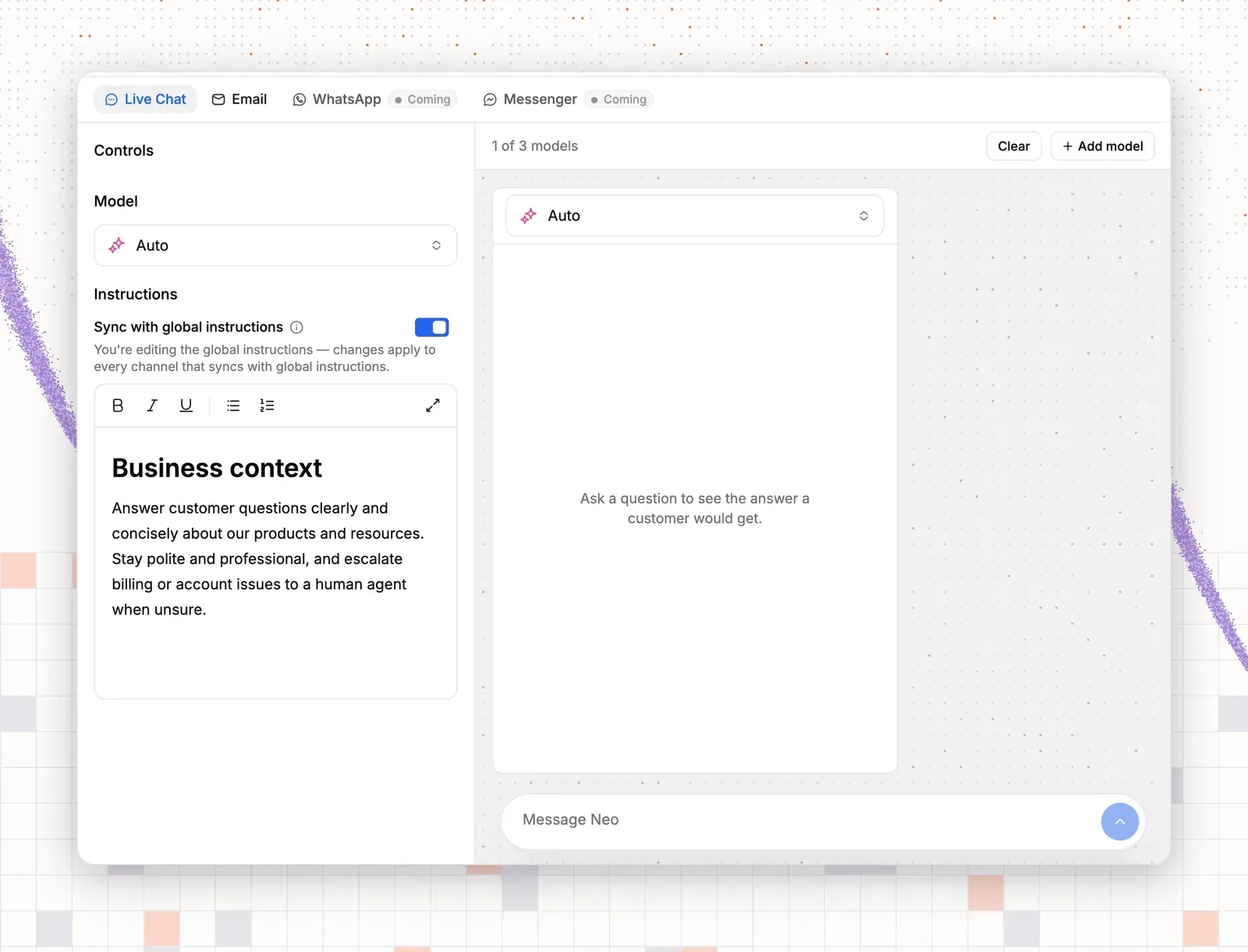

An AI chatbot is software that reads a customer’s message and answers in plain words, using your help articles, policies and customer data. This post shows 13 AI chatbot examples, and each one is a real support job. The chats are written samples, not logs from a live store.
Five examples suit software teams, five suit online stores, and three suit both. Each has a sample chat, the inputs the bot needs and one thing to measure. The bot takes the repeat questions, such as password resets, order status, return rules and sizing. Your team keeps refunds, bugs and upset customers.
What an AI chatbot is, and what it is not
A chatbot is a program that talks with customers in a chat window. Two kinds exist.
A scripted bot offers buttons and keywords on a fixed path. It works well for one narrow job that never changes, such as sending a tracking link. It fails when the customer types something the script does not hold.
An AI chatbot reads free text. It finds the article or policy that holds the answer and writes a reply from it. If you also let it act, for example look up an order, it is an AI agent. Most examples below need that step.
A chatbot is not the same as live chat. Live chat is the channel, the chat window, and a person, a scripted bot or an AI agent can answer inside it. For the longer comparison, read chatbots vs live chat.

AI chatbot examples for SaaS and software teams
Software teams get the same few questions all day: login, billing, how-to and bugs. These five examples cover most of them.
1. Password reset and account lockout
A customer who reset a password and still can’t log in is the most common software chat. The bot needs a help article on login and lockouts, and a guidance rule to never ask for a password. A handoff rule sends single sign-on and admin lockouts to a person, because someone must check those. Watch the chats resolved without a person, and the chats that reopen within a day.
2. Failed payment or plan change
A failed card is a billing question with a quick answer. The bot needs a connection to the app that holds your purchases, such as Stripe, Paddle or Freemius, and an action that looks up a purchase. Guidance says a teammate confirms refunds and plan changes. Watch for answers that name the wrong plan or price, and read a sample each week.
3. Onboarding how-to
New users ask how to do the first tasks, and a short answer with the right article keeps them going. The bot needs one help center article for each setup step. Training on your knowledge base is the base of every example in this post. Watch the questions the bot could not answer in a new user’s first week, because each one is a missing article.
4. Bug report triage with handoff
A bug chat needs details before a person can act, so the bot collects them first. Guidance tells it to ask for browser, steps and account email. A handoff rule assigns the chat to a teammate, adds a tag and sets a priority, and the chat becomes a ticket with everything attached. The bot never promises a fix date. Watch the time to the first human reply on bug chats.
5. Cancellation and save
When a customer writes “I want to cancel my plan”, the bot asks why, offers the options you list and passes the final step to a person. Guidance lists those options, such as a cheaper plan, and a handoff rule on the word “cancel” lets a teammate finish the request. The cancel path stays one message away. For more on this job, see churn prevention software. Watch your own save rate: count the chats that ended with a plan change and compare it month to month.
AI chatbot examples for ecommerce and retail
Stores get order, delivery and return questions, and the volume jumps during a sale. A retail chatbot takes the repeat ones. For more tactics, see these ecommerce customer service best practices.
6. Order status and delivery
“Where is my order?” is the top question in most stores. The bot needs a Shopify or WooCommerce connection and an action that looks up an order, plus a handoff rule for lost parcels. Watch how often the order lookup fails to find the order number.
7. Returns and exchanges
A shopper who asks how to return boots wants the steps and a quick choice between a refund and another size. The bot needs your returns policy as an article or page. Guidance says never to promise a refund date, and a handoff rule sends refund and exchange requests to a person. Watch the handoffs by reason: a spike on one reason points to a gap in the policy page.
8. Product and sizing questions
Shoppers ask “Do these run small?” before they buy. The bot reads your product pages as a Website source, and a size guide as a file or an article. It answers from what the page says. If the page is silent, it says so and offers a person. Watch the questions it could not answer. Add each answer to the product page, and every shopper benefits.
9. Stock and back-in-stock
A bot that reads pages cannot see live stock, so it must say that and not guess a date. The bot needs a policy article on restocks and preorders. A handoff rule on restock questions passes the chat to a teammate, who can take the email address and follow up. Watch how often shoppers ask about the same product, because that list tells you what to restock.
10. Shipping cost and delivery time
Shipping questions peak before a holiday. The bot needs a shipping page, or one Q&A item for each country, with exact numbers and no long policy text. Watch the chats in the days before a sale, because they show where your shipping page is unclear.
AI chatbot examples that work for both
Three jobs suit any business. Each one touches the sale or a handoff, so the guidance must be exact: say when to suggest a plan, what to promise after hours and when a person takes over.
11. Pre-sale questions and upsell
“Which plan fits a team of four?” and “Is this jacket warm enough for winter?” are the same job. The bot needs plan or product pages, and guidance that says when to suggest a better fit, for example “If the customer’s team is larger than the plan allows, name the next plan.” It answers the question first, then names the better fit. Track pre-sale chats that end in a purchase from your own store or billing data.
12. After-hours lead capture
A question at 3 a.m. gets an honest answer: the team is offline, and here is how to reach it. The bot needs the setting that asks for an email and opens a ticket when no one is online, plus your business hours. Watch how many after-hours chats become tickets, and how fast the team replies the next morning.
13. Hand off to a person
Every bot needs this one. A customer who has asked three times wants a person, and the bot must pass the chat without a fight. Set handoff rules for a request for a person, for keywords such as refund, for low confidence and for upset customers. The person in your help desk sees the full chat. Watch the handoffs by reason, and how long customers wait after a handoff.
Which inputs each example needs

Every example uses the same four building blocks. This table shows which ones each job needs, so you can plan your content before you set anything up.
| Example | Help article or page | Q&A | Lookup action | Handoff rule |
|---|---|---|---|---|
| 1. Password reset | Login article | Yes | No | SSO and admin lockouts |
| 2. Failed payment | Billing article | Yes | Purchase lookup | Refunds and plan changes |
| 3. Onboarding how-to | One article per step | Yes | No | Low confidence |
| 4. Bug triage | Known issues article | No | No | Every bug report |
| 5. Cancellation | Plan options | Yes | Purchase lookup | The word cancel |
| 6. Order status | Delivery article | Yes | Order lookup | Lost parcels |
| 7. Returns | Returns policy | Yes | Order lookup | Refunds and exchanges |
| 8. Sizing | Product pages, size guide | Yes | No | Unanswered questions |
| 9. Stock | Restock policy | Yes | No | Restock dates |
| 10. Shipping cost | Shipping page | Yes | No | Unusual destinations |
| 11. Pre-sale and upsell | Plan or product pages | Yes | No | Large or custom deals |
| 12. After-hours capture | Business hours | No | No | No one online |
| 13. Handoff | None | No | No | Asks for a person, upset |
Start with the examples that have no lookup action, because they need only content. Add order or purchase lookups once the first ones work.
What to measure across all examples
Each example has its own metric. Four numbers work for the whole bot.
- First reply time: the minutes from the first message to the first answer.
- Resolved without a person: chats where the bot answered and the customer did not write again or reach your team.
- Handoff rate: the share of chats passed to a person. Log the reason for each one.
- Top topics: the questions customers ask most. Feed that list back into your help center.
Review them every week for the first month, then every month. Sales and releases change the questions, so review after each one.
What separates a good AI chatbot from a bad one
Take one question, “Where is my order?”, and give it to two bots.
The first bot loops through menus and ends in a dead end. The second one reads the question, looks up the order and offers a person. A button bot still does one fixed job well, such as sending a tracking link or a reset link, but the problem starts when it must handle free text. Check any bot against these five points:
- It answers from your own content only.
- It says so when it is not sure.
- It can look up the customer’s data when the question needs it.
- It hands off with the chat attached.
- You can test it before customers see it.
If you want to compare products, see the best AI chatbots for customer service and how AI chatbots are changing help desks.
How to choose an AI chatbot product in the agentic AI era

Agentic AI means software that does tasks, not only answers. Salesforce says service teams estimate that AI handles 30% of cases today. Gartner projects how much agentic AI will resolve by 2029. The 30% is a service teams’ estimate. The 50% and the 80% are projections. The 64% is a customer survey.
| Item | Share of cases |
|---|---|
| Handled by AI today (estimate) | 30% |
| Handled by AI in 2027 (projection) | 50% |
Source: Salesforce, State of Service report announcement, November 2025 (service teams' estimate and projection)
64%
of customers would prefer that companies did not use AI for customer service (survey)
Gartner customer survey, July 2024
80%
of common service issues resolved by agentic AI without a person by 2029, with 30% lower operational cost (prediction)
Gartner press release, March 2025
Customers are wary of AI service, and Gartner expects agentic AI to resolve most common issues by 2029. A product must prove it works before you rely on it.
Vibe-coded software is an app built fast with AI coding tools and shipped with little engineering, testing or security review. It can look fine in a demo. Test how it behaves on your busiest day, where it stores chat data and whether you can keep your history if you leave.
Check these signs before you buy:
- A start date you can verify, and a dated changelog.
- A public status page with past incidents.
- Integrations that work, such as Shopify, WooCommerce and Stripe.
- A handoff that attaches the full chat.
- A way to test before launch.
- A support team that answers.
ThriveDesk is not vibe-coded. You can check the facts. It has run for more than five years, and the dated changelog goes back to 2021. Its Shopify, WooCommerce, Stripe, Paddle and Freemius integrations are live in the App Store. For large support loads, the shared inbox has assignment, tags and priorities, and a handoff passes the full chat to a teammate. See the pricing page, or read how AI training and escalation to people work.
How to build these AI chatbot examples with ThriveDesk
This tutorial builds the examples above in ThriveDesk. You need an account and a few help articles. The AI agent is called Neo, and the app labels use that name. For background, read conversational customer service.
Step 1: create the inbox and the chat widget
- Open Settings, then Inboxes. Skip to item 4 if you already have an inbox.
- Select New inbox.
- Type an Inbox name, such as “Support”.
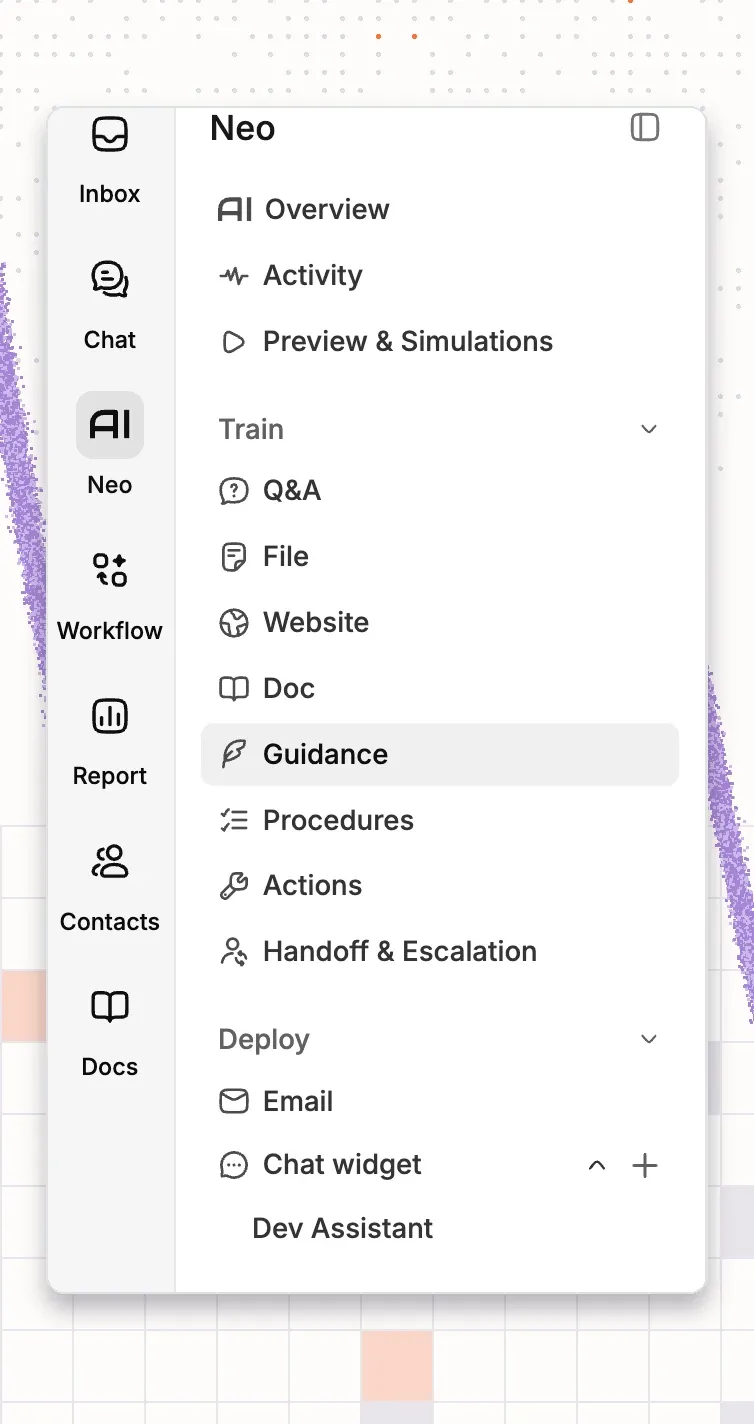
- Open Neo in the left rail.
- Under Deploy, select the + next to Chat widget.
- Type an Assistant name.
- Select your inbox in Select Inbox.
Step 2: connect your store or billing app
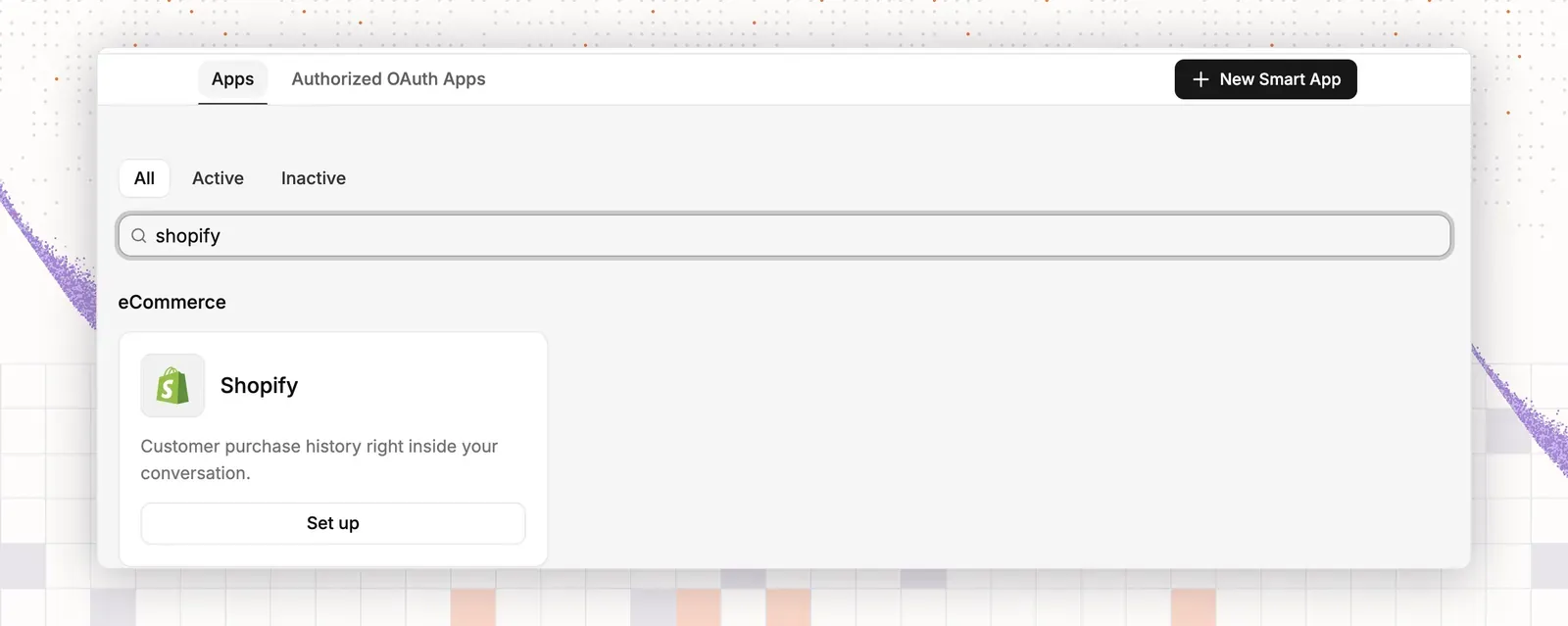
- Open App Store in the left sidebar.
- For a store, install Shopify or WooCommerce. WooCommerce also needs the ThriveDesk plugin.
- For a software company, install the app that holds your purchases, such as Stripe, Paddle or Freemius.
- Select the inboxes for the app.
This serves examples 2, 5, 6 and 7.
Step 3: add the sources
- Open Neo in the left rail.
- Open Doc. Your help center docs are listed under Sources.
- Select Create doc if an article is missing, and type the article.
- Open Website.
- Select Add website.
- Type your domain, such as “example.com”.
- Select the product, shipping and plan pages to add.
- Open File.
- Select Upload Files.
- Pick a size guide or a policy file. The upload takes PDF, Word, Excel and text files, up to 10 files and 50 MB at a time.
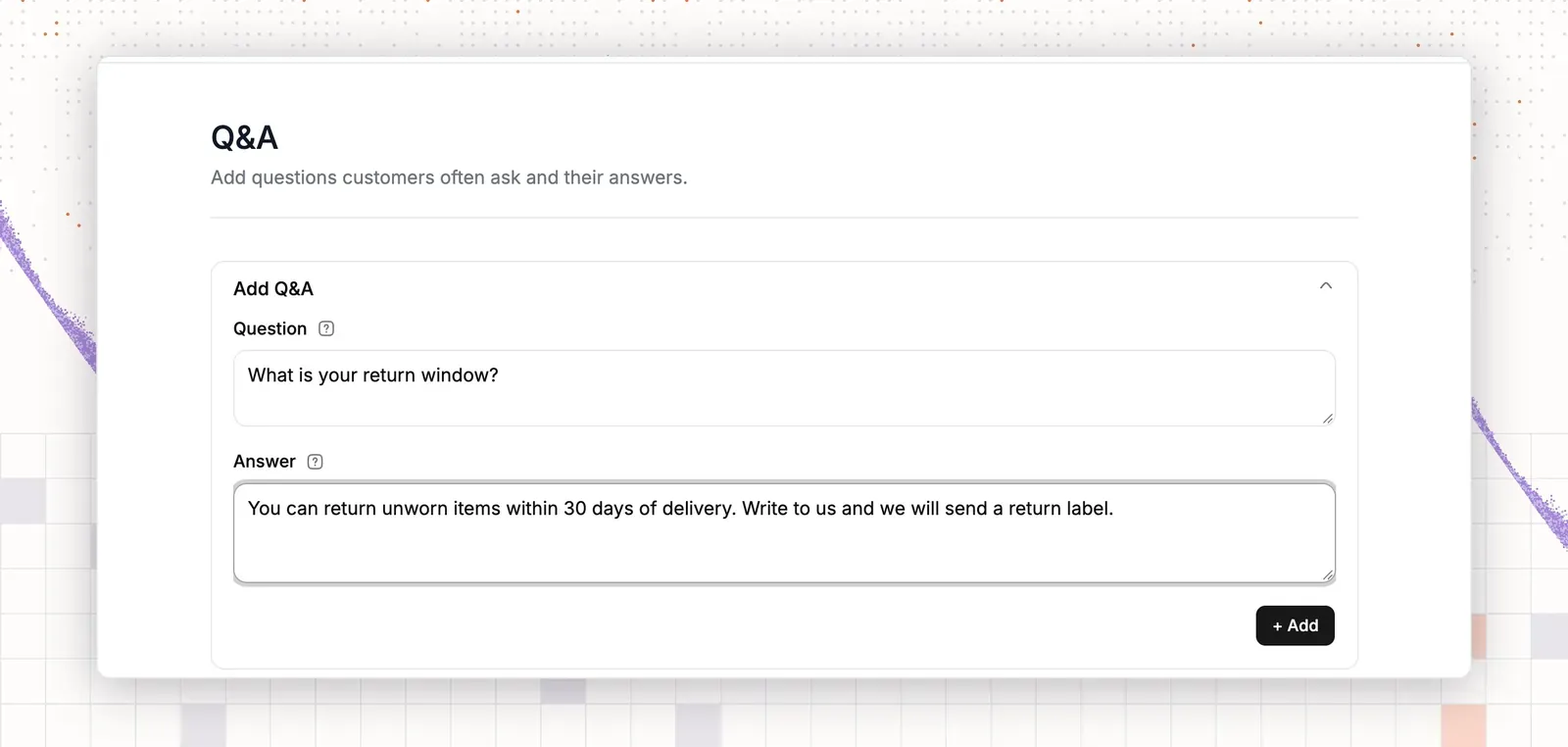
- Open Q&A.
- Select Add Q&A.
- Type one top question and its answer. Repeat for your top ten, the way you write saved replies.
Test: open Preview & Simulations and type “How do I reset my password?”. The reply should name the right article. If it does not, fix the source.
Step 4: write the guidance
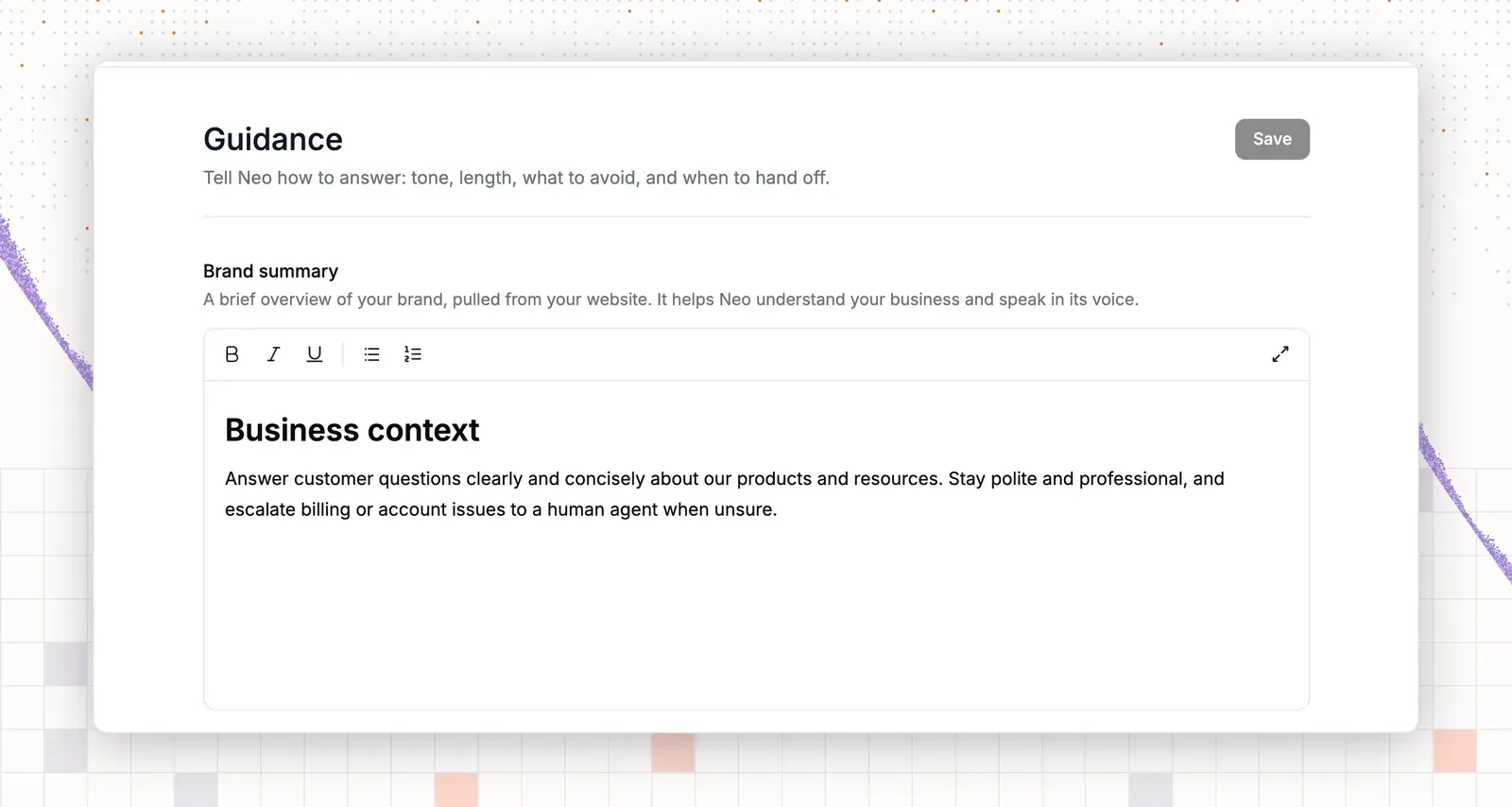
- Open Guidance.
- In Voice and tone, select a Tone, such as Friendly or Professional.
- In Answer length, select Concise for chat.
- Select the Brand summary box.
- Type this rule on its own line: “Never promise a refund date.”
- Type this rule: “Never ask for a card number or a password.”
- Type this rule: “For refund and plan change questions, say a teammate will confirm.”
- Type this rule: “For bug reports, ask for browser, steps and account email.”
- Select Save.
Test: type “When will I get my refund?” in Preview & Simulations. The reply should give no date and say a teammate will confirm. If it gives a date, make the rule more direct.
Step 5: turn on actions
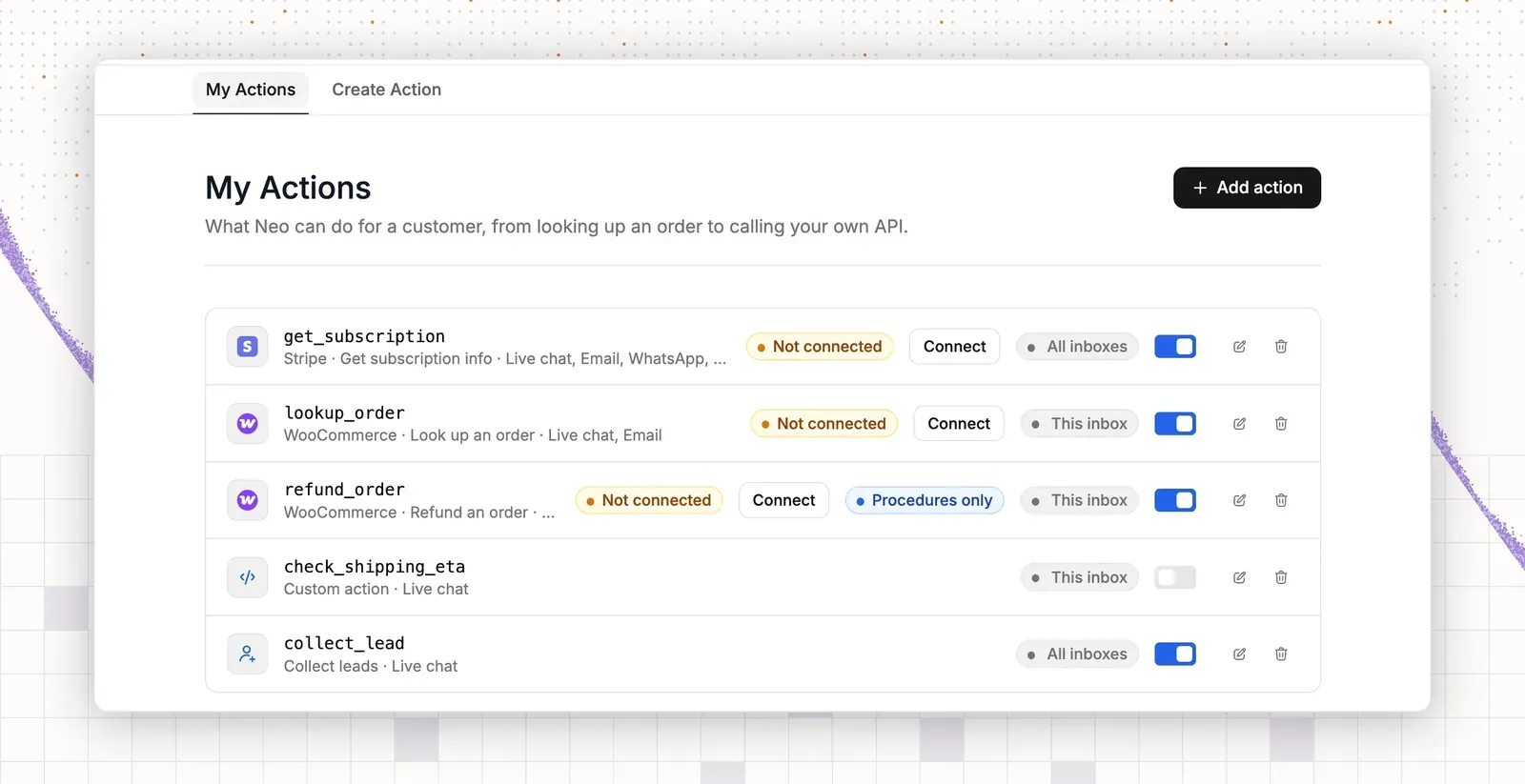
- Open Actions.
- Select Add action.
- Select the app you connected in step 2.
- Select the action that looks up an order or a purchase.
- Leave other actions off until you trust the agent.
Test: type “Where is my order?” in Preview & Simulations. The agent should ask for an order number and look it up. If it does not, check the app connection.
Step 6: set handoff rules and business hours
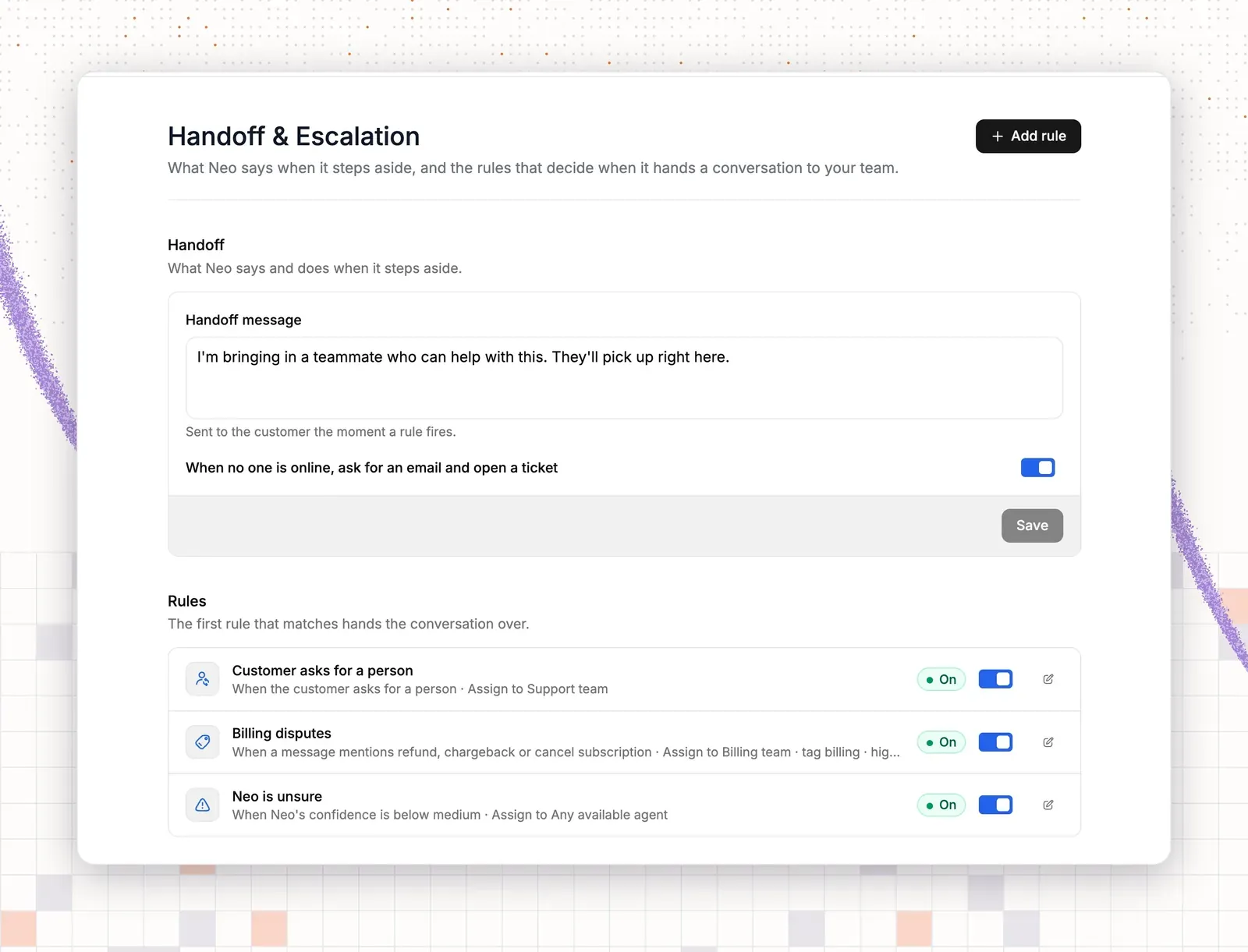
- Open Handoff & Escalation.
- Type the Handoff message.
- Turn on When no one is online, ask for an email and open a ticket.
- Select Add rule.
- Type a Name, such as “Refunds”.
- In Trigger, select A message mentions keywords.
- In Keywords, type “refund, chargeback, cancel subscription”.
- In Assign to, select a teammate.
- Select Save.
- Select Add rule again.
- In Trigger, select The customer asks for a person.
- In Assign to, select a teammate, then Save.
- Open Settings, then Business Hours.
- Select Add business hours and set the schedule.
Test: send a message with “refund” in Preview & Simulations. Check that the handoff rule applies. If not, check the keywords. For example 9, add a rule with the keywords “back in stock, restock”.
Step 7: test, then go live
- Open Preview & Simulations.
- Type the customer lines from the examples above.
- Select Improve Answer on a wrong reply.
- Edit the source article, or add a Q&A item for that question.
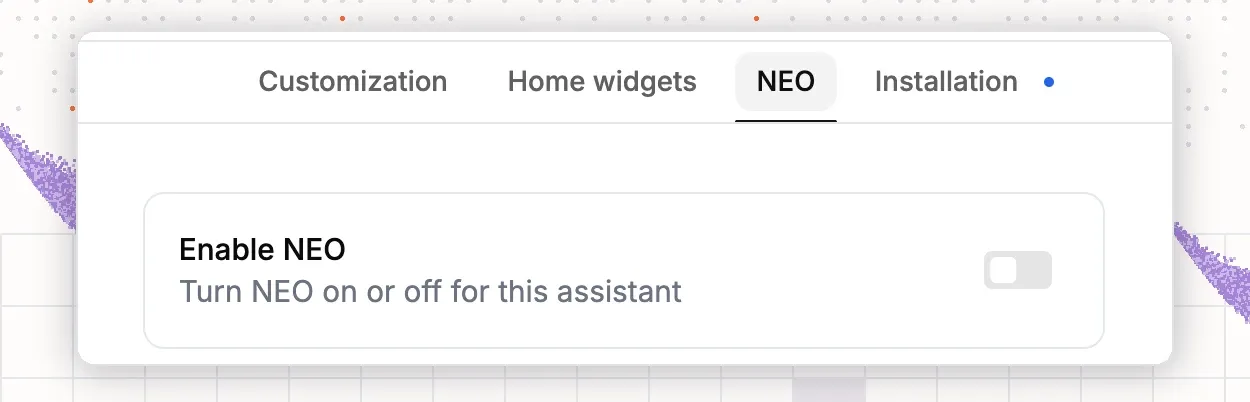
- Under Deploy, open Chat widget.
- Open your widget.
- Select the NEO tab.
- Turn on Enable NEO.
Place the widget on product, cart and order pages for a store. For a software product, use the pricing page and the app. After one week, open Agent Activity and add an article for every gap.