

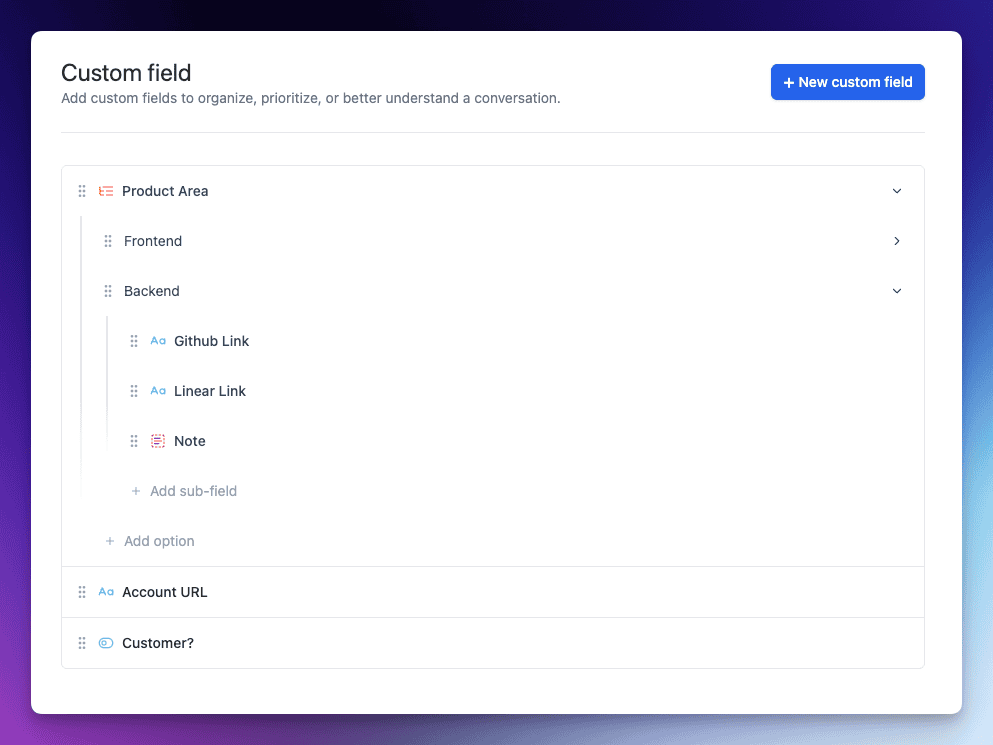
We’re kicking off 2026 with our first major release of the year: Custom Fields for Tickets. This powerful new feature lets you customize your ticketing system to fit your unique workflows with absolutely no code.
Whether you need to track a customer’s subscription tier, a product version, an internal status, or anything in between, you can now capture that information right inside each ticket.
The result? Context-rich, structured support that adapts to your team’s needs and boosts efficiency from day one.
Why Custom Fields? Empowering Context-Rich Support
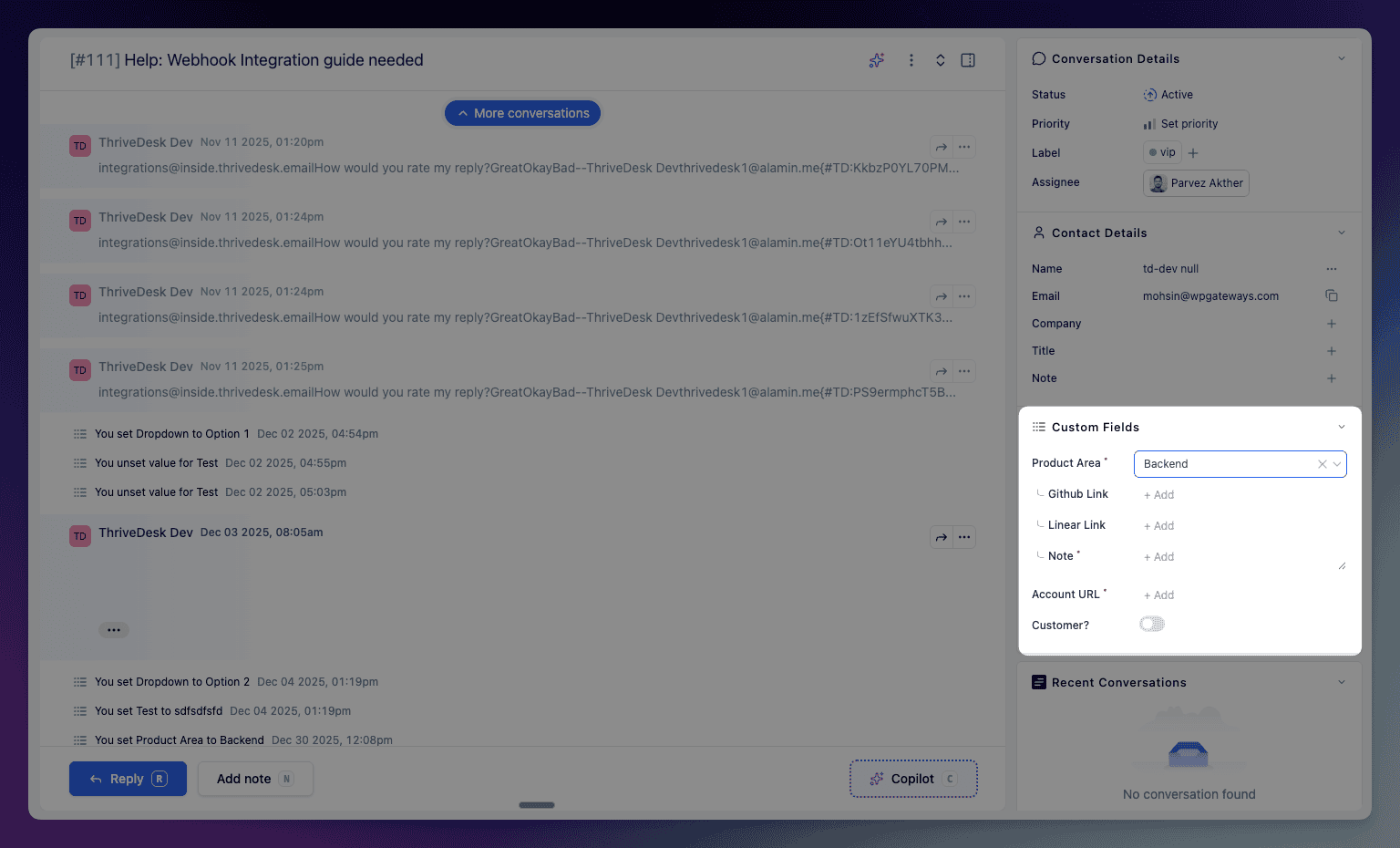
Every support team has its own workflow and data needs. Campos personalizados allow you to collect and organize additional data on tickets beyond the standard fields. Imagine being able to log the product version, customer tier, issue category, or any other key detail relevant to a conversation – all within the ticket view. With these fields, you can:
- Extend the data you collect on each ticket, ensuring all relevant info is captured.
- Maintain consistent, structured data using predefined options (no more messy free-form notes).
- Improve reporting and automation by filtering and running reports on custom field values. Identify trends or trigger workflows based on field data with ease.
- Never miss critical info – mark important fields as required, so agents must fill them before sending a reply. No key detail falls through the cracks.
In short, Custom Fields turn your tickets into a treasure trove of structured context. Your team gains a 360° view of each issue at a glance, and your managers gain clean data to analyze and optimize support operations.
New Field Types – No Code Needed
We’ve made Custom Fields flexible enough to capture various types of information without any coding or technical setup. You can choose from four field types when creating a custom field:
- Dropdown: A predefined list of options to select from (perfect for things like issue category or product area). Define your own options – no coding, just point-and-click.
- Single‑line Text: A one-line free text field for short inputs (e.g. an order ID or a short note).
- Multi‑line Text: A larger text box for longer inputs (great for descriptions, internal notes or troubleshooting steps).
- Toggle: A simple on/off switch for yes/no or true/false values (ideal for boolean data like “Paid Customer?” or “Urgent Issue”).
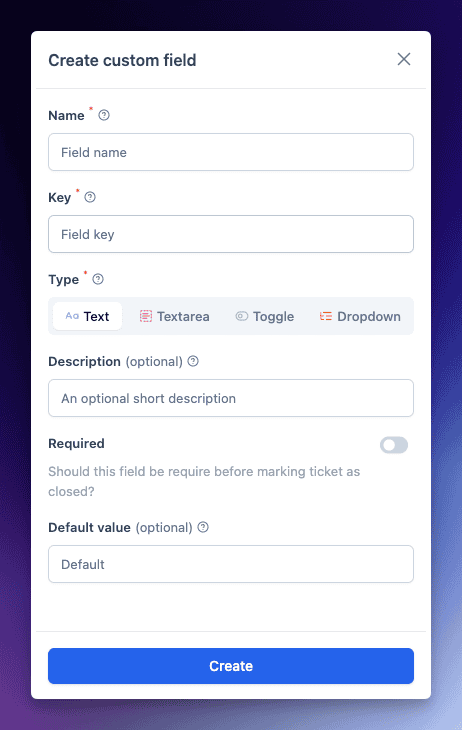
All it takes is a few clicks in the Inbox Settings to add a new field – no scripts, no forms to code. In fact, creating a custom field is as easy as naming it, choosing the field type, and (if it’s a Dropdown) adding your options.
Once created, custom fields live right where you need them: inside the ticket interface. You can even set default values or mark fields as required with a toggle.
If a field is marked required, agents will be gently reminded to fill it in before sending a reply, ensuring important data is always collected. It’s all about making structured data collection seamless and part of the natural workflow.
Seamless In-Ticket Experience
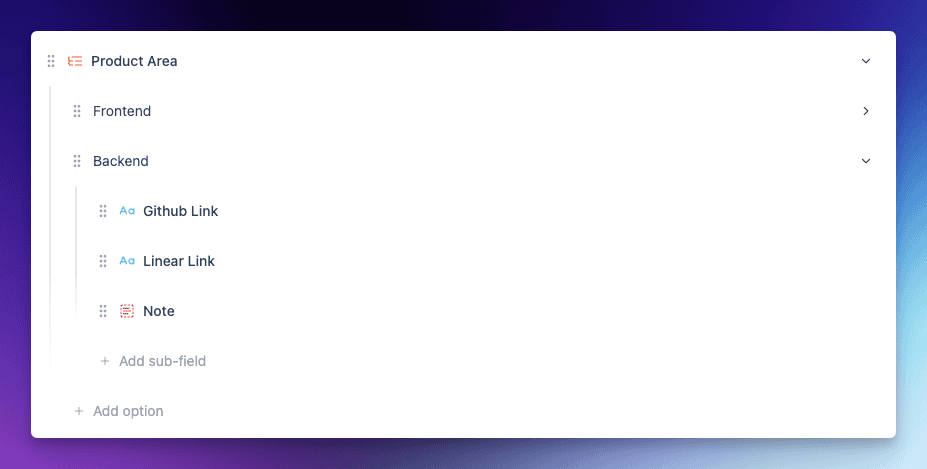
Custom Fields are seamlessly integrated into each ticket’s sidebar, giving agents immediate access to context. In this example, selecting a “Product Area” reveals relevant sub-fields like GitHub link, Linear link, and notes – keeping everything clean and relevant to the issue at hand.
The interface is clean and agent-friendly. Thanks to conditional logic, you can configure fields to show or hide based on another field’s value, so agents only see what’s relevant to the ticket they’re handling.
Learn More & Get Started
Ready to supercharge your support workflow with Custom Fields? We’ve got you covered. Jump into our Centro de ayuda for a step-by-step guide on setting up and using Custom Fields, complete with screenshots and tips. Check out the full documentation here: Custom Fields Documentation.
We can’t wait to see how you’ll tailor ThriveDesk to your needs with this new feature. Custom Fields for Tickets open up a world of possibilities – from more personalized support to smarter automation and reporting. As always, we built this feature hand-in-hand with feedback from teams like yours, and we’re excited to see the impact it will have on your day-to-day operations.