

This release improves chat reliability, introduces new sharing and navigation options, and adds a powerful right-click menu to conversations for faster workflows.
Shareable Live Chat Links
You can now generate a shareable link for live chats, making it easier to share specific conversations with teammates.
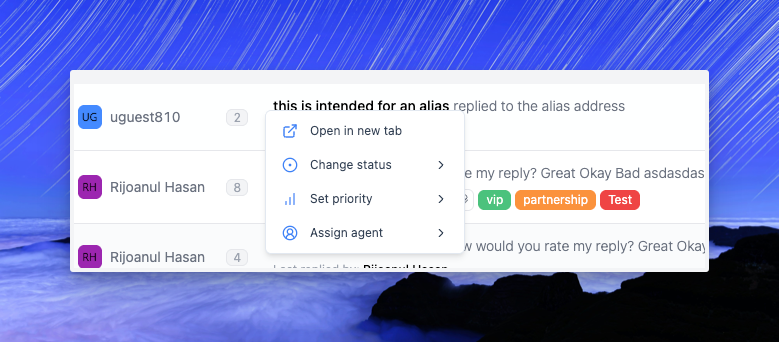
Right-Click Menu for Conversations
A new context menu lets you quickly:
- Open conversations in a new tab
- Change status
- Set priority
- Assign an agent
This speeds up conversation management without extra clicks.
Improvements
- Reduced unnecessary API calls for chat messages.
- Refactored inbox dropdown for better stability and performance.
Bug Fixes
- Fixed pagination not working in the Q&A section.
- Fixed issue where only the last message appeared in live chat.
- Fixed notifications showing even after viewing a message.
- Fixed email visibility issue where older emails disappeared after opening one.