ゼンデスク, 顧客サポートソフトウェアの元祖である は、サポートに必要なあらゆる機能を詰め込んでいるものの、その複雑さゆえにしばしば批判される。まさに「優れた機能には大きな複雑さが伴う」という典型的な例と言えるだろう。‘
On the other hand, JIRA is the OG of enterprise project and issue management software. NASA uses JIRA Service Management to land rockets on Mars!
They have a product called JIRA Service Management, and today, we will compare two enterprise customer support software.
As these platforms square off, we’ll explore their strengths, unique capabilities, and which one might be your key to enhanced productivity and success. So, fasten your seatbelts as we embark on a journey through Zendesk and JIRA Service Management, where support excellence meets project mastery.
簡単なメモ: If you are a startup or SMB, Zendesk or JIRA might not be a good fit for you. Check out スライブデスク, これは、スタートアップ企業や中小企業向けのカスタマーサポートソフトウェアに関する当社の見解です。.
Zendesk vs Jira at a glance
| 基準 | ゼンデスク | Jira |
|---|---|---|
| 評価 | 4.3/5 | 4.2/5 |
| ニッチ | 中小企業 | 中小企業 |
| 開始価格 | $55 | $77.50 |
| 無料トライアル | 30 days | 7日間 |
Zendeskの概要
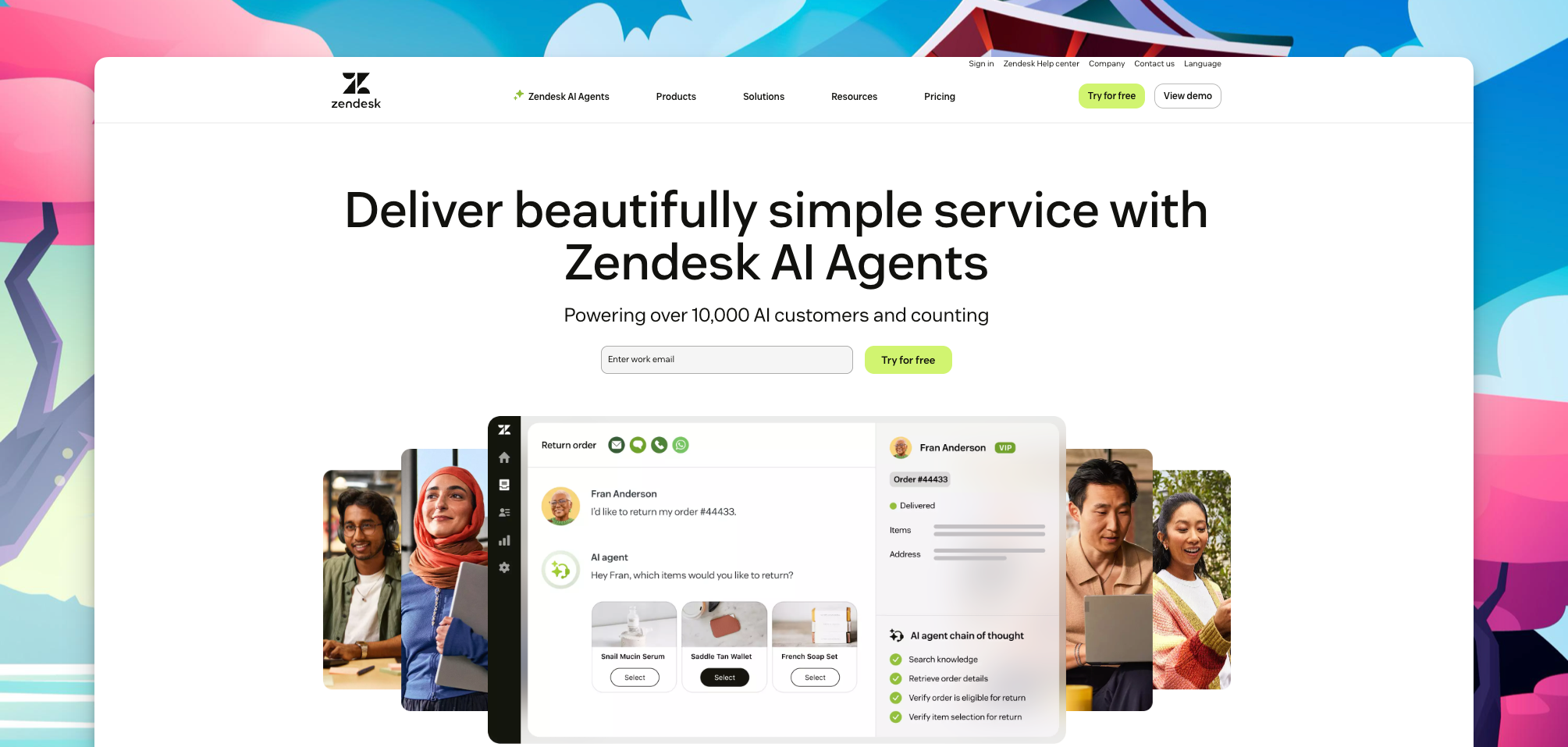
ゼンデスク は、顧客サービスにおける頼れる味方です。小規模なスタートアップ企業から巨大企業まで、あらゆる規模のビジネス向けに設計されており、顧客満足度を高めるための秘密兵器です。.
With Zendesk, customer questions are a breeze to handle. You get a dashboard that makes creating, tracking, and organizing tickets super easy. It’s like your customer support command center.
Zendesk lets you chat with customers through email, chat, social media, or even over the phone. So, no matter where your customers are, you’re there too.
AirbnbやShopifyといった大手企業も既にZendeskを信頼しています。まるでグローバルなサポートチームがすぐそばにいるようなものです。.
Zendeskは他のツールとの連携も得意です。SalesforceやSlackといったツールと連携できるため、すべてがスムーズに動作します。.
So, whether you’re a startup or a global giant, Zendesk’s got your back for top-notch customer support.
Overview of JIRA Service Management
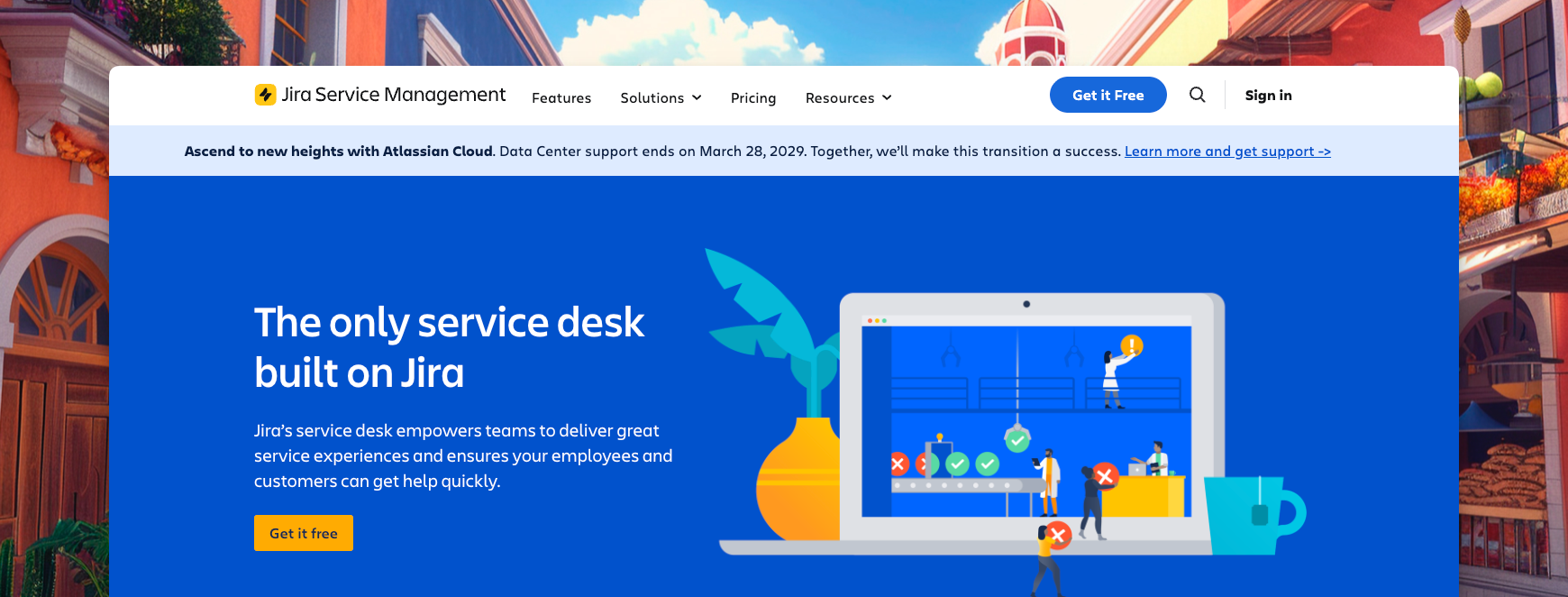
JIRA Service Management, developed by Atlassian, is a versatile project management and issue-tracking software trusted by teams across diverse industries. It excels in efficient issue tracking, allowing teams to create, assign, and prioritize tasks seamlessly.
What does JIRA Service Management stand for? It was named after GoJIRA Service Management. Inspired by one of the names of the debugging tools used during development, Bugzilla, JIRA Service Management was born!
JIRA Service Management is renowned for its agile project management capabilities, supporting methodologies like Scrum and Kanban. Its customizable workflows empower teams to define unique processes while reporting and dashboards provide valuable insights for decision-making.
JIRA Service Management flexibility extends to integrations with a wide range of tools, ensuring seamless collaboration. It offers multiple deployment options, robust security features, and automation capabilities to enhance efficiency. In addition, JIRA Service Management’s roadmap feature aids in long-term project planning, and the Atlassian Marketplace provides various apps to extend functionality.
In summary, JIRA Service Management equips teams with a powerful suite of features to streamline project management and collaboration. It is a go-to choice for software development, marketing, and beyond industries.
比較分析:主な特徴と機能
When comparing Zendesk and JIRA Service Management, evaluating their core features and functionalities is essential to determine which platform best suits your organization’s customer support needs. Let’s explore how Zendesk and JIRA Service Management stack up in terms of basic functionalities required by helpdesk software.
| 特徴 | ゼンデスク | JIRA Service Management |
|---|---|---|
| 統合 | Zendeskは、Salesforce、HubSpot、Google Workspaceなど、1,000以上のアプリと連携しています。 | JIRA Service Management integrates with over 5700 apps, including Slack, Confluence, and Trello |
| セルフサービスポータル | Zendeskは、顧客が質問への回答を見つけたり、問題を自分で解決したりできるセルフサービスポータルを提供しています。 | JIRA Service Management also offer a self-service portal similar to most helpdesk software |
| ライブチャット | Zendeskは、カスタマーサポート担当者が顧客とリアルタイムでコミュニケーションをとるためのライブチャット機能を提供しています。 | JIRA Service Management offers it’s live chat in the form of an integration available in the atlassian marketplace called Q chat which can be integrated in both websites and customer service portals |
| 報告 | Zendesk offers a variety of reports that help businesses track customer support metrics, such as ticket volume, response time, and customer satisfaction | JIRA Service Management offers a variety of reports that help businesses track project management metrics, such as sprint velocity, task completion rate, and time spent on tasks |
| モバイルアプリ | ZendeskはiOSとAndroidの両方に対応したモバイルアプリを提供しています。 | JIRA Service Management offers a mobile app for both iOS and Android |
| AI | ZendeskのAIチャットボットは、Zendesk独自のAIテクノロジーであるAnswer Botによって支えられています。Answer Botは、顧客からの一般的な問い合わせを理解し、ナレッジベースを使用して回答することができます。Answer Botは、特定の顧客からの質問に答えたり、特定の製品やサービスに関するサポートを提供したりするカスタムチャットボットを作成するためにも使用できます。 | JIRA Service Management has a virtual assistant powered by Atlassian Intelligence, which is a powerful generative AI equipped with a best-in-class Natural Language Processing engine. It assists agents and customers alike with lightning fast conversational customer support |
| カスタマーサポート | Zendeskは、電話、メール、チャットによる24時間365日のカスタマーサポートを提供しています。 | JIRA Service Management offers 24/7 customer support via email and chat |
| チケット管理 | Zendesk excels in ticket management, providing a user-friendly interface for creating, tracking, and organizing customer tickets. Its customizable ticketing system allows agents to prioritize and assign tickets efficiently, ensuring timely responses and resolutions | JIRA Service Management is a project management tool that also offers ticket management features. Its ticket management system is not as robust as Zendesk’s, but it can be used to track and manage issues related to projects |
| オートメーション | Zendesk’s automation is more customer support-centric. Zendesk offers powerful automation capabilities through its “Triggers” and “Automation” features. These allow businesses to automate repetitive tasks, send notifications, and set predefined actions based on specified conditions, saving time and improving efficiency. | JIRA Service Management’s automation capabilities are tailored to project management, software development, and workflow optimization, making it ideal for these purposes |
私たちのおすすめ:Zendesk
その他の比較指標
独自の機能
When considering Zendesk and JIRA Service Management, it’s essential to highlight their unique features and how they cater to different aspects of business operations.
ゼンデスク
Zendesk impresses with its rich marketplace of third-party integrations and extensions. This feature allows businesses to tailor the platform to their specific needs, extending its functionality to address various requirements. What sets Zendesk apart is its AI-powered chatbot, “Answer Bot,” which can efficiently respond to customer inquiries, enhancing response times and automating certain support processes.
JIRA Service Management
In contrast, JIRA Service Management shines in the realm of project and issue tracking. While not a customer support-focused platform like Zendesk, JIRA Service Management excels in agile project management. Its strength lies in customizable workflows, ideal for teams following agile methodologies such as Scrum and Kanban. JIRA Service Management also boasts robust reporting and dashboard features for actionable insights into project progress. It uses a powerful virtual agent called JIRA Service Management virtual agent which is also very proficient at dealing with customer queries, cutting down on response time and automating certain support processes just like Zendesk Answer Bot.
Both Zendesk and JIRA Service Management offer unique capabilities, but they cater to different organizational needs. Zendesk focuses on customer support, while JIRA Service Management excels in project management and collaboration. The choice between them should be based on your specific requirements and priorities, ensuring a seamless fit with your organization’s operational objectives.
私たちのおすすめ: JIRA Service Management. Their virtual agent is a powerful component when it comes to unique features.
価格とプラン
When considering helpdesk solutions like Zendesk and JIRA Service Management, understanding the pricing models and plans is crucial to make an informed decision. Let’s compare the pricing structures of both platforms, evaluate their value for money and scalability, and analyze any additional costs or hidden charges that may be associated with each platform.
| 価格 | ゼンデスク | JIRA | スライブデスク |
|---|---|---|---|
| 価格設定モデル | ユーザー1人あたり月額 | ユーザー1人あたり月額 | ユーザー1人あたり月額 |
| 価格帯の数 | 4 (Suite Team, Growth, Professional, Enterprise) | 4 (Free, Standard, Premium, Enterprise) | 3(スターター、プラス、エンタープライズ) |
| 試用期間 | 14日間 | 7日間 | 7日間 |
| 無料プランあり | いいえ | はい | いいえ |
| 最も低価格な有料プラン | $55/agent/month billed annually (Suite Team) | $790/user/year | $25/month billed annually (Starter) |
| 最も高額な公開プラン | $149/agent/month billed monthly (Suite Professional) | $1,525/user/year | $49/month billed annually (Plus) |
| Enterprise Pricing | はい | はい | はい |
| 年間請求割引 | はい | はい | はい |
| アドオン/統合料金 | 追加費用 | 追加費用 | 追加料金なし |
| コスト評価の容易さ | 簡単 | 簡単 | 簡単 |
If your business is on a tight budget, a Zendesk alternative or Jira alternative worth considering is スライブデスク. 彼らは提供する シンプルな料金プラン 多様なビジネスニーズに対応できるようカスタマイズされています。選択肢はわずか2つなので、経営者の意思決定プロセスが簡素化されます。小規模チームでも急成長中の企業でも、サポートニーズと予算の両方に合ったプランをお選びください。.
| スターター | $25/月(4席) |
| プラス | $85/月(10席) |
私たちのおすすめ: JIRA Service Management. Has a free plan.
コストパフォーマンスと拡張性
When it comes to choosing a helpdesk and project management solution for your business, assessing the value for money and scalability of the platforms is paramount. Let’s compare Zendesk and JIRA Service Management in terms of how they handle these crucial aspects, helping you make an informed decision.
ゼンデスク
Zendesk offers a tiered pricing structure that caters to businesses of all sizes and growth stages. This approach allows you to start with a plan that suits your current needs and then scale up as your business expands. This flexibility especially benefits startups and small businesses looking to manage costs effectively.
As you move up Zendesk’s pricing tiers, you can access advanced functionalities such as chatbots, customizable 知識ベース, and performance dashboards. These features can significantly enhance the value for businesses seeking to provide top-tier support to their customers. The ability to customize your support tools ensures that you’re only paying for the features that align with your specific requirements, making Zendesk a cost-effective choice.
JIRA Service Management
JIRA Service Management employs a transparent pricing model, billing on a per-user per-month basis. This straightforward approach simplifies cost calculations and allows for easy scalability. It’s worth noting that JIRA Service Management’s integration with other Atlassian tools can enhance the overall value, as these integrations create a cohesive ecosystem for project management and collaboration.
As your business grows, you can easily add more users to your JIRA Service Management plan, ensuring that your project management capabilities align with your expanding team. However, it’s important to consider the impact of integrated tools on pricing. Depending on the selected plan, additional features from the Atlassian suite may become available, affecting the overall cost.
Our pick. Tie. Both have competitive pricing.
追加費用と隠れた料金
When selecting a helpdesk or project management platform, it’s crucial to consider the base pricing and any potential additional costs and hidden charges that may impact your budget. Let’s delve into how Zendesk and JIRA Service Management handle these aspects.
ゼンデスク
Zendesk’s pricing is relatively straightforward, with a per-agent per-month model. However, it’s essential to be aware of potential additional costs that might arise. Some of these costs could include:
- カスタマイズ: Zendesk offers options like branding, fields, and workflows for tailored solutions. Customizations can be pricey and might need Zendesk support.
- アドオンモジュール: Enhance Zendesk with modules like Talk (voice call), Chat (live chat), and Sell (CRM). These boost functionality but come at an added cost and may require Zendesk support.
- API usage fees: Zendesk bills for API use beyond a limit, potentially costly for heavy API users.
- Overage fees: Exceeding monthly plan limits results in overage fees, with costs varying by plan and resource usage.
JIRA Service Management
JIRA Service Management also employs a clear per-user per-month pricing model. However, similar to Zendesk, there are potential additional costs to consider:
- Integrated Tools: JIRA Service Management’s integration with other Atlassian tools, such as Confluence and Trello, can be a significant asset. Still, if you opt to use these additional tools, they may come with their own subscription fees.
- Plugin Costs: JIRA Service Management Marketplace offers a wide range of plugins and extensions to enhance functionality. Some of these plugins may require separate purchases.
- Data Storage: Depending on your data storage needs, additional costs may apply if you exceed the allocated storage limits in your plan.
- Training and Support: Like Zendesk, JIRA Service Management may charge for extra training or premium support services beyond what’s included in your plan.
私たちのおすすめ: このカテゴリーでも勝者はいません。どちらも隠れた費用に関して非常に巧妙です。どちらを選ぶにしても、料金プランとポリシーをよく確認してから決めることをお勧めします。.
ユーザーエクスペリエンスとインターフェース
The user experience and interface of a helpdesk or project management solution significantly impact its effectiveness in facilitating smooth operations. Let’s assess the user experience and interface of both Zendesk and JIRA Service Management, considering key factors like navigation, customization, and overall usability. We’ll also incorporate user feedback and reviews to provide insights into the practicality of each platform.
ゼンデスク
- Zendesk boasts a user-friendly interface designed for effortless navigation. Its dashboard offers a centralized hub for ticket management, customer interactions, and performance metrics, empowering agents to access pertinent information swiftly.
- Customization is one of Zendesk’s strengths, enabling businesses to tailor the interface to their unique needs. Whether it’s customizable ticket fields, branding elements, or knowledge base designs, Zendesk allows organizations to align the platform seamlessly with their brand identity and support processes.
- User feedback underscores Zendesk’s user-friendly interface, with positive reviews commending its intuitive design and user-friendliness. Users find immense value in the straightforward ticket management system and the flexibility to customize workflows according to their specific support requirements.
JIRA Service Management
- JIRA Service Management also prioritizes a seamless customer experience, with a focus on intuitive navigation and accessibility. Its interface is organized and clutter-free, presenting information in a structured manner through a well-designed dashboard.
- JIRA Service Management provides ample customization options to cater to diverse business needs. Users can customize workflows, ticket forms, and layouts, ensuring that the platform adapts seamlessly to their unique project management processes.
- User reviews consistently highlight JIRA Service Management’s user-friendly interface. Users appreciate its simplicity and ease of navigation, which is further enhanced by the platform’s comprehensive features. The intuitive design and structured interface contribute significantly to a better customer satisfaction and positive user experience.
私たちのおすすめ: Zendesk. More intuitive and easier to use. JIRA Service Management has a bit of a learning curve for first-time users.
お客様からのフィードバックとレビュー
に関しては G2評価, Zendesk and JIRA Service Management are both well-rated platforms. Zendesk has a rating of 4.3 out of 5 stars, based on over 5,600 reviews. JIRA Service Management has a rating of 4.3 out of 5 stars, based on over 5000 reviews.
ゼンデスク
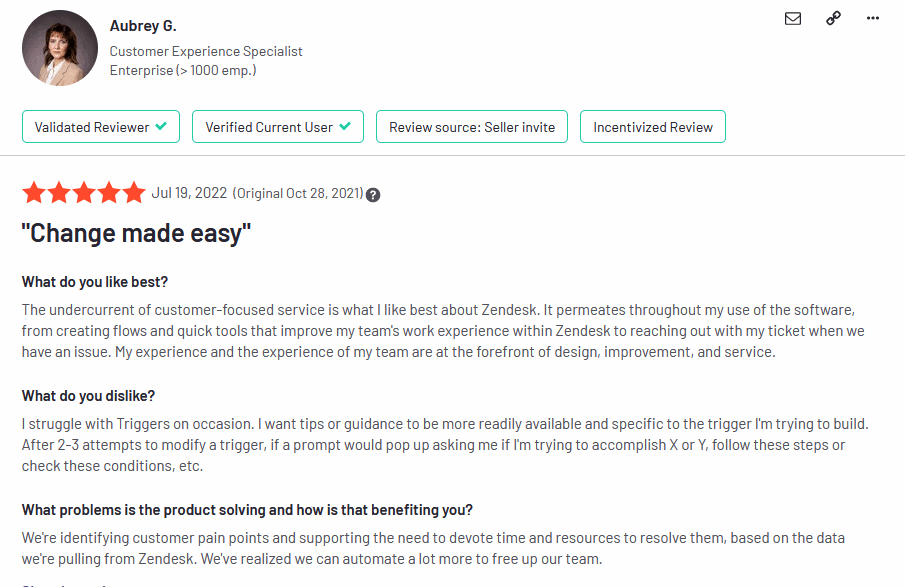
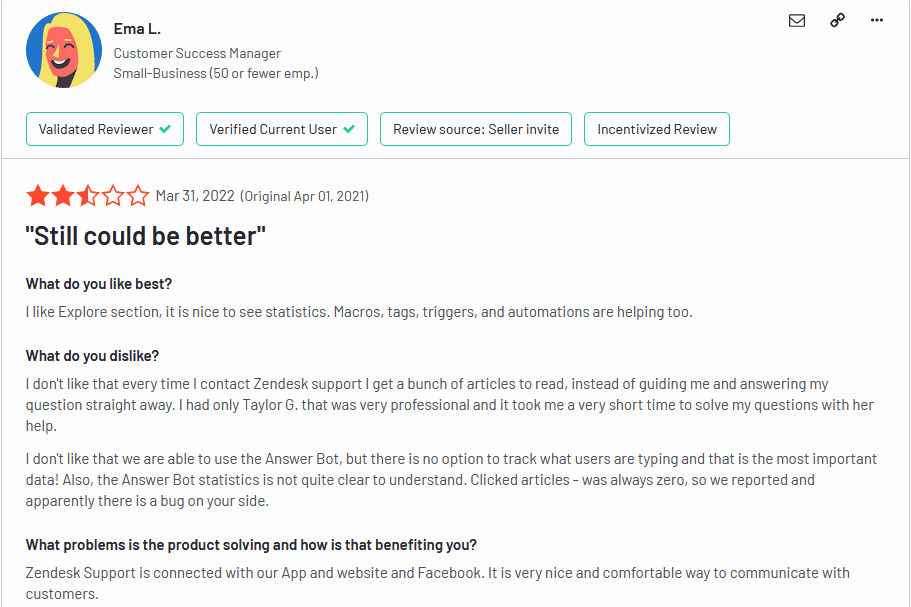
Zendesk users appreciate its intuitive interface and extensive integration options, contributing to its reputation as a user-friendly platform. Zendesk’s reporting tools also receive praise for aiding in the monitoring of customer support team performance. However, some concerns include its pricing, which may be steep for smaller businesses, and challenges in customizing the platform to precise needs.
JIRA Service Management
JIRA Service Management is commended for robust project management capabilities, enhancing workflow efficiency and team collaboration. Yet, the platform’s learning curve can be steep for newcomers, and its pricing structure, particularly in conjunction with other Atlassian tools, may pose budget considerations for some organizations.
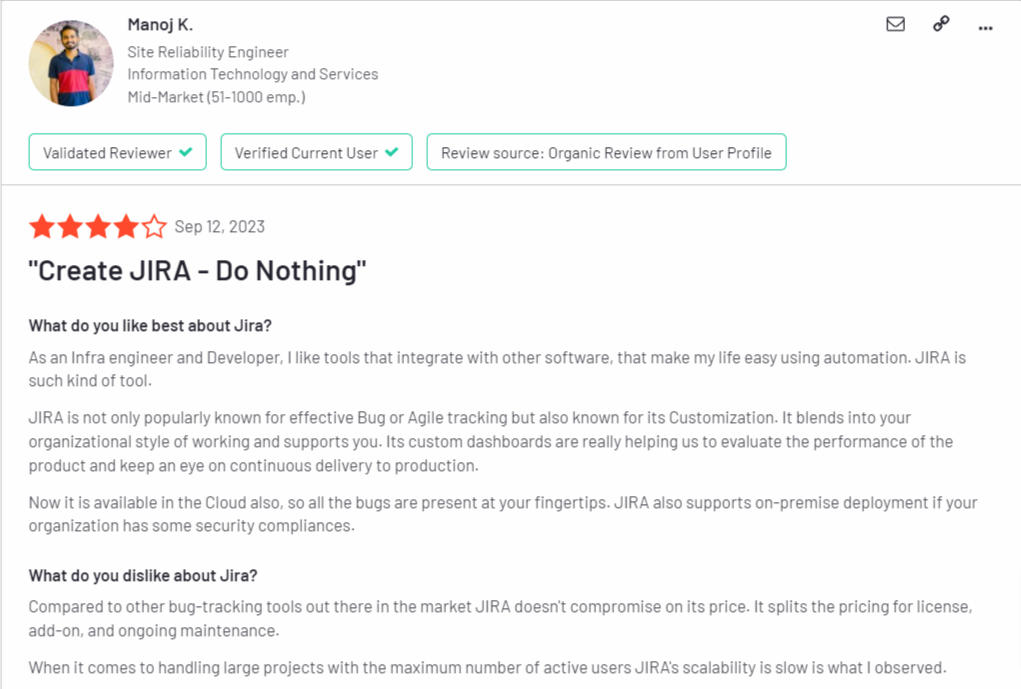
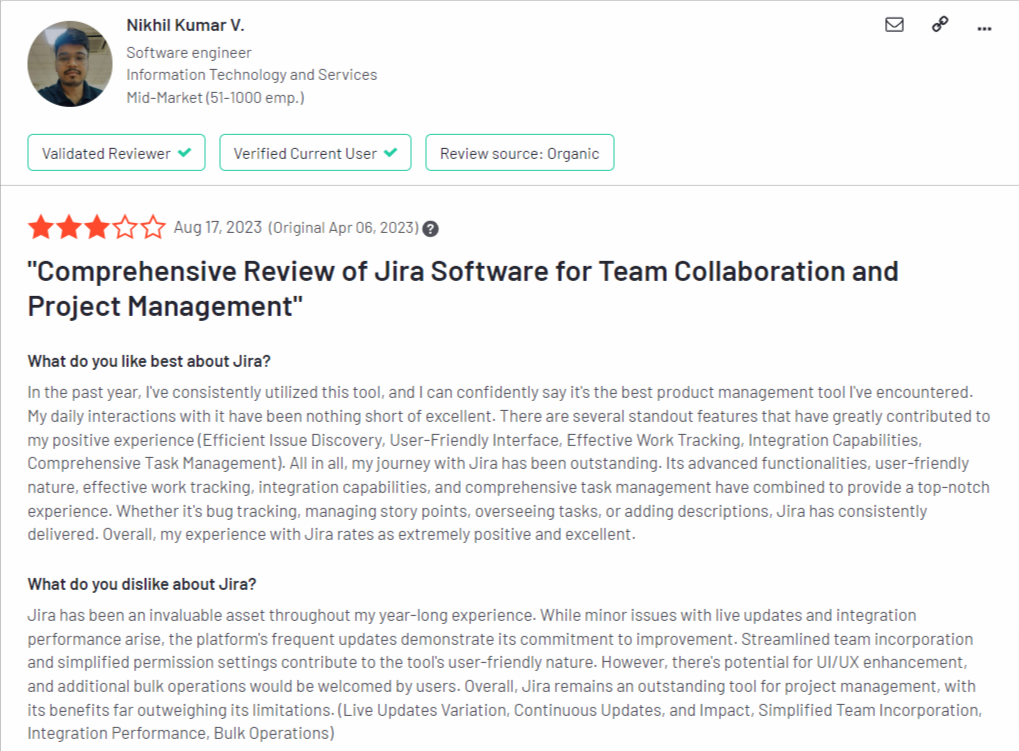
顧客の間では、いくつかの共通するパターンに概ね共通認識が見られる。.
私たちのおすすめ: Zendesk. Acknowledging that this is a subjective category we looked at 100 reviews for each and considering the limited sample size, Zendesk had more reviews over 4 stars compared to JIRA Service Management.
Zendesk vs JIRA Service Management: Pros and Cons Face-Off
ゼンデスク
| 長所 | 短所 |
|---|---|
| チケット発行、ナレッジベース、ライブチャット、自動化など、幅広い機能を備えています。 | 特に大企業にとっては高額になる可能性がある |
| 優れたカスタマーサポート | モバイルアプリはウェブアプリほど使いやすくない |
| 使いやすくカスタマイズ可能 | 一部のユーザーからパフォーマンスに関する問題が報告されています。 |
| 他の人気ソフトウェアとの連携 | 無料プランはありません |
JIRA Service Management
| 長所 | 短所 |
|---|---|
| Powerful project management capabilities | Learning curve for beginners |
| Highly customizable for various use cases | Pricing may become a concern, especially when integrated with other Atlassian products |
| Integrates seamlessly with other Atlassian tools | Primarily focused on project management and development, may not be as versatile for other business functions |
| Offers robust workflow automation | Pricing may be an issue while scaling team |
| Has a free plan |
あなたにとって最適なのはどちらでしょうか?
Choosing between Zendesk and JIRA Service Management hinges on your specific requirements. If you prioritize comprehensive customer support with a diverse feature set, Zendesk is a strong contender. However, JIRA Service Management could be ideal if your needs lean toward robust project management and workflow automation.
Here’s a summary table outlining the key differences between Zendesk and JIRA Service Management, along with an alternative worth considering:
| 特徴 | ゼンデスク | JIRA | スライブデスク |
|---|---|---|---|
| 価格 | Starts at $69, billed monthly | Starts at $21, billed monthly | Starts at $35 billed monthly |
| 特徴 | Live chat, ticket management, knowledge base, self-service portal, automation, reporting and analytics | Self-service portal, knowledge base, and reporting and analytics | Ticket management, live chat, knowledge base, shared inbox, self-service portal and reporting |
| 使いやすさ | Can be complex to use | Can be complex for new users | 使いやすく設定も簡単 |
| スケーラビリティ | Scalable with good growth speed to value ratio but only at enterprise level | Good growth speed to value ratio and scalable to meet the needs of growing businesses | 中小企業での利用に最適 |
| コミュニティ | ユーザーと開発者からなる大規模で活発なコミュニティ | ユーザーと開発者からなる大規模で活発なコミュニティ | 活発な開発者と貢献者のコミュニティ |
| カスタマーサポート | 24/7 support via email, chat and phone | メールとチャットによる24時間年中無休のサポート | メールによる24時間年中無休のサポート |
ThriveDesk: Customer Support solution for Startups and SMBs

In addition to Zendesk and Jira, alternative helpdesk solutions are available in the market. One such alternative worth considering is ThriveDesk. ThriveDesk is a feature-rich helpdesk solution that offers a comprehensive set of tools to manage customer support effectively.
スライブデスク is a help desk software tailor-made for businesses seeking extensive features and a powerful yet simple ライブチャット assistant. Even better, it’s the most cost-effective, lightweight, and speedy live chat solution available for Shopify business owners.
ThriveDeskは、中小企業がリアルタイムの顧客コミュニケーションを管理できるようにします。 共有受信トレイ, instant replies, file sharing directly from the chat widget, emojis for effective communication, satisfaction surveys, sales tracking reports for eCommerce, knowledge base search, and monitoring capabilities, you can efficiently handle your Wix store operations.
ご安心ください。ThriveDeskの軽量設計とスピードは、お客様の業務のパフォーマンスに影響を与えません。 Wixで構築されたeコマースウェブサイト. 最適化されたエージェントインターフェースにより、迅速な応答が保証され、最大限の効率性を実現すると同時に、ウェブサイトのスムーズな動作を維持します。.
G2で5つ星中5つ星の評価を得ているThriveDeskは、ユーザーから非常に高く評価されています。.
ThriveDeskの主な機能:
- 匿名ライブチャット
- セルフサービスポータル(WPPortal)
- サードパーティ統合
- パフォーマンス指標
- ライブチャット
- ワークフロー管理
- アラート/エスカレーション
- マルチチャネル通信
- チケット管理
- 顧客データベース
- メール管理
- 豊富な知識ベース
- アンケートとフィードバック
- Pricing for ThriveDesk starts at just $6.67 per month.
ThriveDeskのメリット:
- 費用対効果が高く、エージェントのコストを削減します。
- 顧客の手間を最小限に抑える
- インストールと使用が簡単
- スムーズなオンボーディング体験
- チャットのやり取り間のシームレスなナビゲーション
- リアルタイム応答
- ThriveDesk’s user-friendly interface, comprehensive resources (including a community, shared mailbox, and live chat), have made it a popular and trusted choice for Wix users. It comes highly recommended for its reliability and ease of use.
ThriveDeskのデメリット:
- ネイティブモバイルアラートの欠如
With ThriveDesk, you can supercharge your website’s growth and streamline customer interactions like
Conclusion: Zendesk vs JIRA Service Management for Your Business
When deciding between Zendesk and JIRA Service Management to meet your business needs, it’s essential to consider a range of factors aligned with your organizational goals, operational requirements, and financial constraints. These two platforms offer distinct strengths, each serving unique aspects of your business.
Your choice between ゼンデスク そして JIRA Service Management should align with your unique business needs. If your priority is delivering top-notch customer support and engagement, Zendesk is preferred.
Conversely, JIRA Service Management offers a compelling solution if you focus on optimizing project management and development processes.
Tailor your selection to match your objectives and leverage the full potential of Zendesk or JIRA Service Management to drive success in your organization. If you’re a small business looking for a more cost-effective solution to handle your customer support, スライブデスク can be your go-to.