ゼンデスク, 顧客サポートソフトウェアの元祖である は、サポートに必要なあらゆる機能を詰め込んでいるものの、その複雑さゆえにしばしば批判される。まさに「優れた機能には大きな複雑さが伴う」という典型的な例と言えるだろう。‘
一方で、 Zoho Desk is a cloud-based help desk software that helps businesses of all sizes manage their customer support operations. It offers a wide range of features, including ticket management, a knowledge base, a self-service portal, automation, reporting, and analytics.
As these platforms go head-to-head as help desk for enterprise, we’ll dissect their strengths, delve into their unique AI-powered capabilities, and help you determine which one holds the key to elevating your customer support and engagement strategies. So, get ready for an insightful journey through the landscapes of Zendesk and Intercom, where support excellence converges with AI innovation.
簡単なメモ: If you are a startup or SMB, Zendesk or Zoho Desk might not be a good fit for you. Check out スライブデスク, これは、スタートアップ企業や中小企業向けのカスタマーサポートソフトウェアに関する当社の見解です。.
Zendesk vs Zoho Desk – Help Desk for Enterprise at a glance
| 基準 | ゼンデスク | Zoho Desk |
|---|---|---|
| 評価 | 4.3/5 | 4.4/5 |
| ニッチ | 中小企業 | 中小企業 |
| 開始価格 | $55 | $14 |
| 無料トライアル | 30 days | 15日間 |
Zendeskの概要
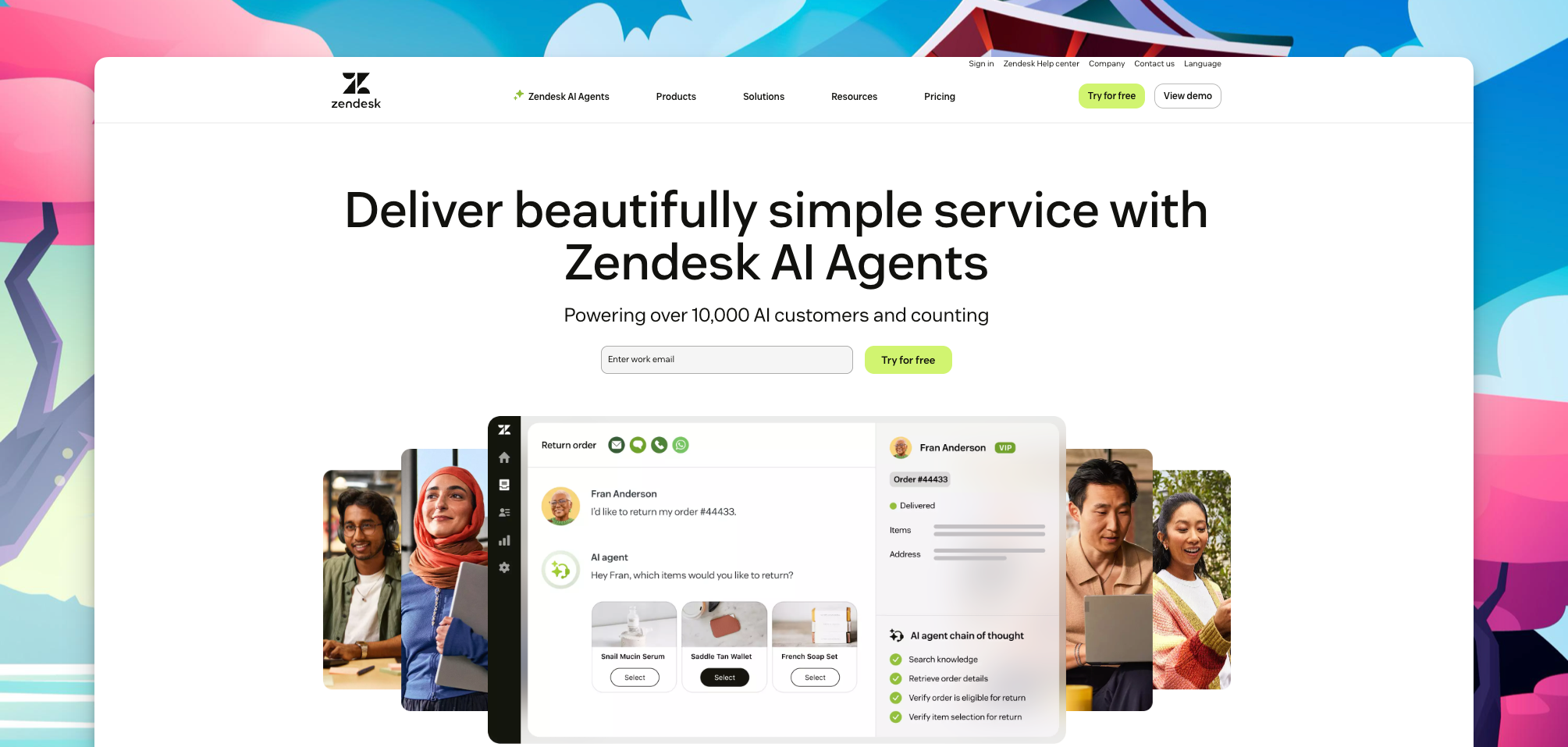
ゼンデスク is your trusted ally when it comes to enterprise customer service. Started for small business now moved towards a complete helpdesk software for enterprise, it’s the secret weapon that keeps customers happy.
With Zendesk, customer questions are a breeze to handle. You get a dashboard that makes creating, tracking, and organizing tickets super easy. It’s like your customer support command center.
Zendesk lets you chat with customers through email, chat, social media, or even over the phone. So, no matter where your customers are, you’re there too.
AirbnbやShopifyといった大手企業も既にZendeskを信頼しています。まるでグローバルなサポートチームがすぐそばにいるようなものです。.
Zendesk also plays well with others. It can team up with tools like Salesforce and スラック, so everything runs smoothly.
つまり、あなたがスタートアップ企業であろうとグローバルな巨大企業であろうと、Zendeskは最高レベルの顧客サポートであなたを支えます。.
Zoho Deskの概要
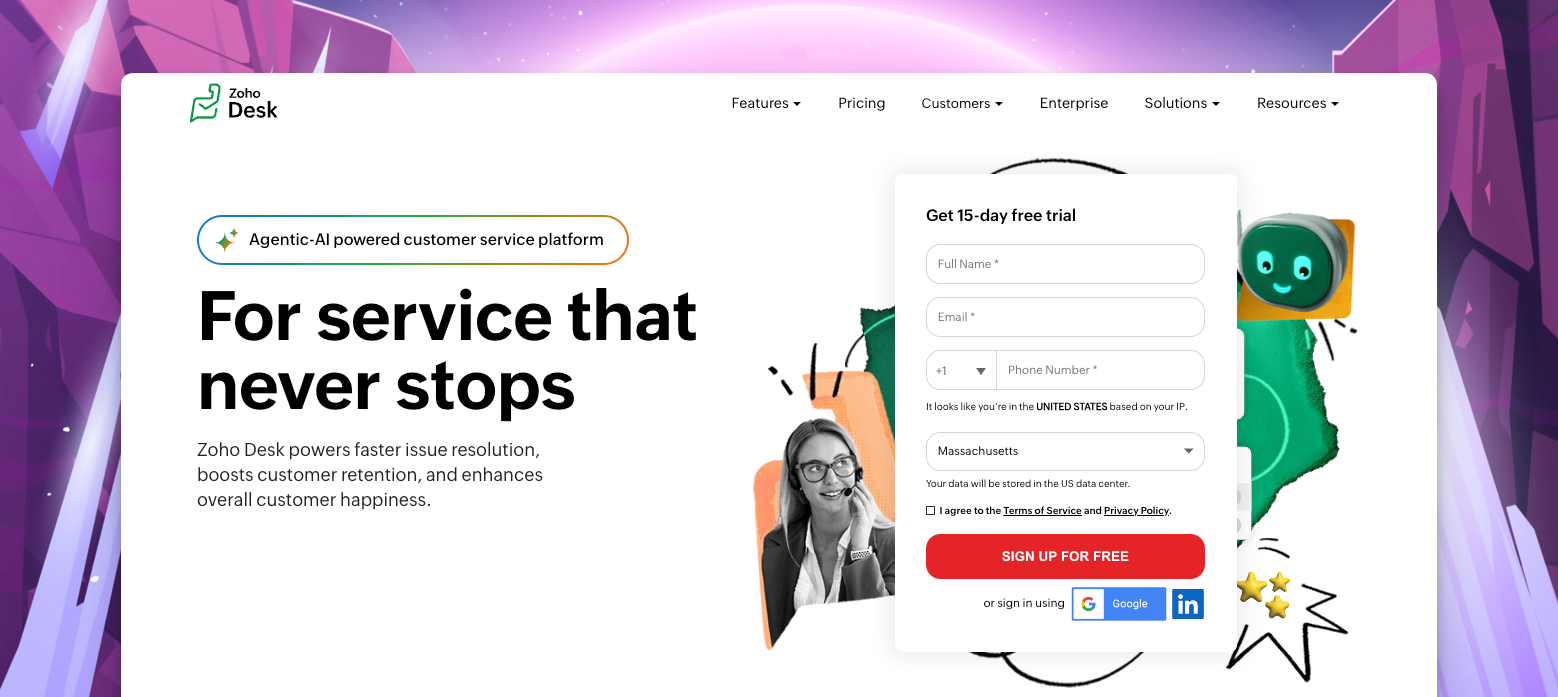
効率的なカスタマーサポートを体験してください Zoho Desk‘の包括的なヘルプデスクソリューション。強力なチケットシステムを使用して顧客からの問い合わせを簡単に管理・解決し、一元化されたダッシュボードで状況を明確に把握し、迅速な問題解決を実現します。.
Zoho Desk の統合された顧客サポートツールスイートでチケット管理を超えましょう。ライブチャット、ナレッジベース管理、, community forums, and self-service portals, offering a range of support options and empowering customers to find solutions independently.
Zoho Deskを他のZohoアプリケーションや人気のサードパーティツールとシームレスに統合することで、統一されたエコシステムを構築し、チーム間のスムーズなデータフローとコラボレーションを実現します。カスタマイズ可能な機能と料金プランで、変化するニーズに合わせてサポート業務を容易に拡張できます。.
BMW、Bose、OnePlusなどのトップ企業から信頼されているZoho Deskは、業界を問わず優れたサポート体験を提供します。Zoho Deskの包括的なスイートを活用して、満足度の高い企業の一員となり、迅速な解決策を提供しましょう。 customer support tools.
Zoho Desk is a streamlined helpdesk solution that combines robust ticketing
比較分析:主な特徴と機能
When comparing Zendesk and Zoho Desk, evaluating their core features and functionalities is essential to determine which platform best suits your organization’s customer support needs. Let’s explore how Zendesk and Zoho Desk stack up in terms of basic functionalities required by a helpdesk software.
| 特徴 | ゼンデスク | Zoho Desk |
|---|---|---|
| 統合 | Zendeskは、Salesforce、HubSpot、Google Workspaceなど、1,000以上のアプリと連携しています。 | Zoho Desk integrates with over 650 apps, including Salesforce, Microsoft Dynamics, and Google Workspace |
| セルフサービスポータル | Zendeskは、顧客が質問への回答を見つけたり、問題を自分で解決したりできるセルフサービスポータルを提供しています。 | Zoho Deskは、顧客が質問への回答を見つけたり、問題をトラブルシューティングしたり、ナレッジ記事にアクセスしたりできるセルフサービスポータルを提供しています。 |
| ライブチャット | Zendeskは、カスタマーサポート担当者が顧客とリアルタイムでコミュニケーションをとるためのライブチャット機能を提供しています。 | Zoho Deskは、カスタマーサポート担当者が顧客とリアルタイムでコミュニケーションをとるためのライブチャット機能を提供します。 |
| 報告 | Zendesk offers a variety of reports that help businesses track customer support metrics, such as ticket volume, response time, and customer satisfaction | Zoho Deskは、チケット数、応答時間、顧客満足度など、顧客サポートの指標を追跡するのに役立つさまざまなレポートを提供しています。 |
| モバイルアプリ | ZendeskはiOSとAndroidの両方に対応したモバイルアプリを提供しています。 | Zoho DeskはiOSとAndroidの両方に対応したモバイルアプリを提供しています。 |
| AI | Zendesk’s AI chatbots are powered by Answer Bot, Zendesk’s own AI technology. Answer Bot can understand and answer common customer queries using your knowledge base. Answer Bot can also be used to create custom chatbots that can answer specific customer questions or provide support for specific products or services. | Zoho Desk’s AI chatbots are powered by Zia, Zoho Desk’s own AI technology. Zia is considerably more powerful than Answer Bot and can process more information and handle more complex tasks, making it more capable than Answer Bot. |
| カスタマーサポート | Zendeskは、電話、メール、チャットによる24時間365日のカスタマーサポートを提供しています。 | Zoho Deskは、電話、メール、チャットによる24時間365日のカスタマーサポートを提供しています。 |
| チケット管理 | Zendesk excels in ticket management, providing a user-friendly interface for creating, tracking, and organizing customer tickets. Its customizable ticketing system allows agents to prioritize and assign tickets efficiently, ensuring timely responses and resolutions | Zoho Deskは、マルチチャネルサポート、自動化、分析機能を備えた堅牢なチケット管理機能を提供し、効率的な顧客サポートを実現します。. |
| オートメーション | Zendeskは、「トリガー」と「自動化」機能を通じて、強力な自動化機能を提供します。これらの機能により、企業は反復的なタスクを自動化したり、通知を送信したり、特定の条件に基づいて事前定義されたアクションを設定したりすることができ、時間の節約と効率の向上につながります。. | Zoho Deskのヘルプデスクソリューションは、「ブループリント」機能を通じて自動化機能を提供します。ブループリントを使用すると、企業はエージェントを事前に定義された手順に沿って誘導する自動化されたワークフローを作成し、一貫性のある標準化されたサポートプロセスを確保できます。. |
私たちのおすすめ:Zendesk
その他の比較指標
独自の機能
ゼンデスク
Zendesk stands out with its extensive marketplace of third-party integrations and extensions, allowing businesses to extend the platform’s functionality. It also offers a chatbot feature called “Answer Bot,” which leverages AI to provide automated responses to customer queries, improving response times.
Zoho Desk
Zohoのヘルプデスクソリューションは、CRM、デスク、分析ツールを含む包括的な統合アプリケーションスイートで際立っています。この統合によりシームレスなエコシステムが構築され、企業はさまざまなタッチポイントからの顧客データを活用し、サポートプロセスを効率化できます。Zoho Deskはまた、 AI powered chatbot named Zia.
私たちのおすすめ: Tie. Both have unique and useful features that can serve businesses in various ways
価格とプラン
When considering helpdesk solutions like Zendesk and Zoho Desk, understanding the pricing models and plans is crucial to make an informed decision. Let’s compare the pricing structures of both platforms, evaluate their value for money and scalability, and analyze any additional costs or hidden charges that may be associated with each platform.
| 価格 | ゼンデスク | Zoho Desk | スライブデスク |
|---|---|---|---|
| 価格設定モデル | ユーザー1人あたり月額 | ユーザー1人あたり月額 | ユーザー1人あたり月額 |
| 価格帯の数 | 4 (Suite Team, Growth, Professional, Enterprise) | 3 (Standard, Professional, Enterprise) | 3(スターター、プラス、エンタープライズ) |
| 試用期間 | 14日間 | 15日間 | 7日間 |
| 無料プランあり | いいえ | いいえ | いいえ |
| 最も低価格な有料プラン | $55/agent/month billed annually (Suite Team) | $14/user/month billed annually (Standard | $25/month billed annually (Starter) |
| 最も高額な公開プラン | $149/agent/month billed monthly (Suite Professional) | $50/user/month billed monthly (Enterprise) | $49/month billed annually (Plus) |
| カスタムエンタープライズ価格設定 | はい | いいえ | いいえ |
| 年間請求割引 | はい | はい | はい |
| アドオン/統合料金 | 追加費用 | 追加料金なし | 追加料金なし |
| コスト評価の容易さ | 簡単 | 簡単 | 簡単 |
If your business is on a tight budget, a Zoho Desk alternative or Zendesk alternative worth considering is スライブデスク. 彼らは提供する シンプルな料金プラン tailored to accommodate various business needs. With just two options to select from, it simplifies the decision-making process for business owners. Opt for the plan that aligns with your support needs and budget, whether you operate as a small team or a burgeoning enterprise.
| スターター | $25/月(4席) |
| プラス | $85/月(10席) |
私たちのおすすめ: Zoho Desk
コストパフォーマンスと拡張性
ゼンデスク
Zendesk’s pricing tiers offer increasing levels of features and capabilities, allowing businesses to scale their support operations as they grow. The higher-tier plans provide advanced functionalities like chatbots, 知識ベース customization, and performance dashboards, which can deliver added value for businesses seeking advanced support capabilities.
Zoho Desk
Zoho Desk の料金プランは拡張性も備えており、企業はサポートニーズの拡大に合わせて上位プランにアップグレードできます。 統合されたアプリケーションスイート, Zohoは、顧客とのやり取りを管理するための統合されたエコシステムを求める企業に、付加価値をもたらす包括的なソリューションを提供します。.
私たちのおすすめ: ゼンデスク
追加費用と隠れた料金
When evaluating helpdesk solutions such as Zendesk and Zoho Desk, it is essential to grasp the pricing models and plans to ensure an informed choice. Let’s examine the pricing structures of both platforms, assess their cost-effectiveness and scalability, and scrutinize any potential extra expenses or undisclosed fees associated with each platform.
ゼンデスク
Zendesk’s pricing is relatively straightforward, with a per-agent per-month model. However, it’s essential to be aware of potential additional costs that might arise. Some of these costs could include:
- カスタマイズ: Zendesk offers options like branding, fields, and workflows for tailored solutions. Customizations can be pricey and might need Zendesk support.
- アドオンモジュール: Enhance Zendesk with modules like Talk (voice call), Chat (live chat), and Sell (CRM). These boost functionality but come at an added cost and may require Zendesk support.
- API usage fees: Zendesk bills for API use beyond a limit, potentially costly for heavy API users.
- Overage fees: Exceeding monthly plan limits results in overage fees, with costs varying by plan and resource usage.
Zoho Desk
- 従量課金制: Zoho Deskの従量課金プランには、SMSやライブチャットサポートなどの機能が含まれています。たまにしか利用しないユーザーに最適で、柔軟性も高いです。ただし、コスト管理のためには、従量課金制である点に注意してください。.
- カスタマイズ: Zoho Deskは、ブランディングやカスタムフィールドなどのカスタマイズ機能を提供しています。ニーズに合わせてカスタマイズできますが、カスタマイズには費用がかかる場合があり、Zohoのサポートが必要になることもある点にご注意ください。.
- アドオンモジュール: Zaho DeskをSalesIQ CRMやDesk360などのアドオンで拡張しましょう。これらのモジュールは追加機能を提供しますが、追加費用がかかり、Zohoのサポートが必要になる場合があります。.
私たちのおすすめ: Zoho Desk
ユーザーエクスペリエンスとインターフェース
A helpdesk solution’s user experience and interface play a crucial role in ensuring efficient and intuitive customer support. Let’s evaluate the user experience and interface of both Zendesk and Zoho, considering factors such as ease of navigation, customization options, and overall intuitiveness. We will also consider customer feedback and reviews to 洞察を提供する 各プラットフォームの使いやすさについて。.
ゼンデスク
- Zendesk offers a clean and intuitive interface that facilitates ease of navigation. The dashboard provides a centralized view of tickets, customer interactions, and performance metrics, allowing agents to access relevant information quickly.
- このプラットフォームは、企業が自社のニーズに合わせてインターフェースをカスタマイズできる、幅広いカスタマイズオプションを提供しています。カスタマイズ可能なチケットフィールド、ブランディング要素、ナレッジベースのデザインにより、組織はZendeskを自社のブランドアイデンティティに合わせることができます。.
- 顧客からのフィードバックによると、Zendeskのインターフェースはユーザーフレンドリーで、直感的なデザインと使いやすさが高く評価されています。ユーザーは、分かりやすいチケット管理システムと、サポートプロセスに合わせてワークフローをカスタマイズできる機能を高く評価しています。.
Zoho Desk
- Zoho Deskのインターフェースは、ナビゲーションの容易さとアクセシビリティを重視し、シームレスなユーザーエクスペリエンスを提供するように設計されています。このプラットフォームは、関連情報を構造化された形で表示する、すっきりと整理されたダッシュボードを提供します。.
- Zoho Deskは豊富なカスタマイズオプションを提供しており、企業はインターフェースを自社の要件に合わせて調整できます。ユーザーはチケットフォームをカスタマイズできます。, ワークフロー, レイアウトなどを調整することで、プラットフォームが各社の特定のサポートプロセスに適合するようにします。.
- レビューでは、Zoho Deskのユーザーフレンドリーなインターフェースが特に高く評価されており、ユーザーはそのシンプルさと操作の容易さを高く評価しています。プラットフォームの直感的なデザインと包括的な機能が相まって、良好なユーザーエクスペリエンスを実現しています。.
私たちのおすすめ: ゼンデスク
お客様からのフィードバックとレビュー
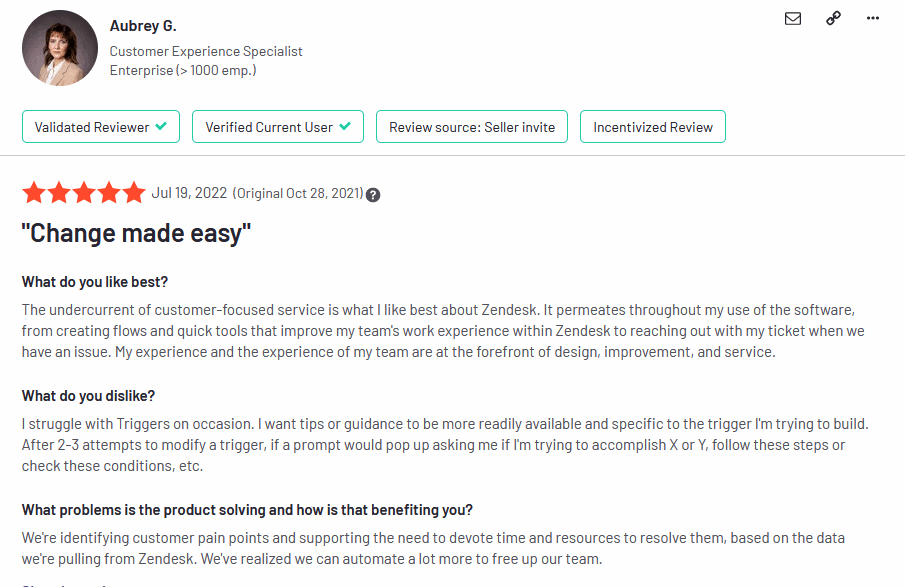
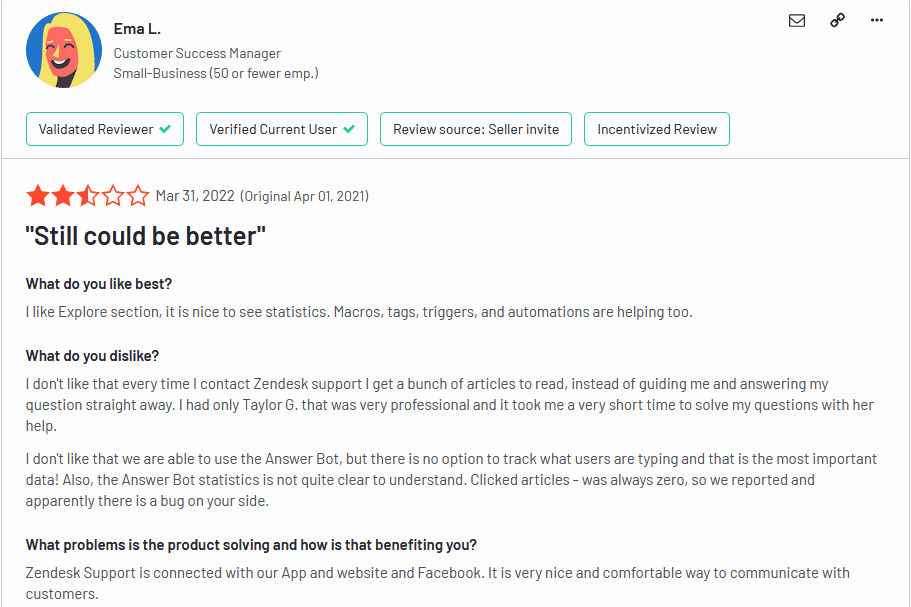
In terms of G2 ratings, Zendesk and Zoho Desk are both well-rated platforms. Zendesk has a rating of 4.3 out of 5 stars, based on over 5,600 reviews. Zoho Desk has a rating of 5つ星中4.4, based on over 4,700 reviews.
ゼンデスク
Zendesk is known for its intuitive interface and its wide range of integrations. The platform also offers a variety of reporting tools that can help businesses track the performance of their customer support team. However, Zendesk can be expensive, and it can be difficult to customize the platform to meet the specific needs of a business.
Zoho Desk
Zoho Desk is a more affordable option. The platform also offers a high degree of customization, making it a good choice for businesses of all sizes and requirements.
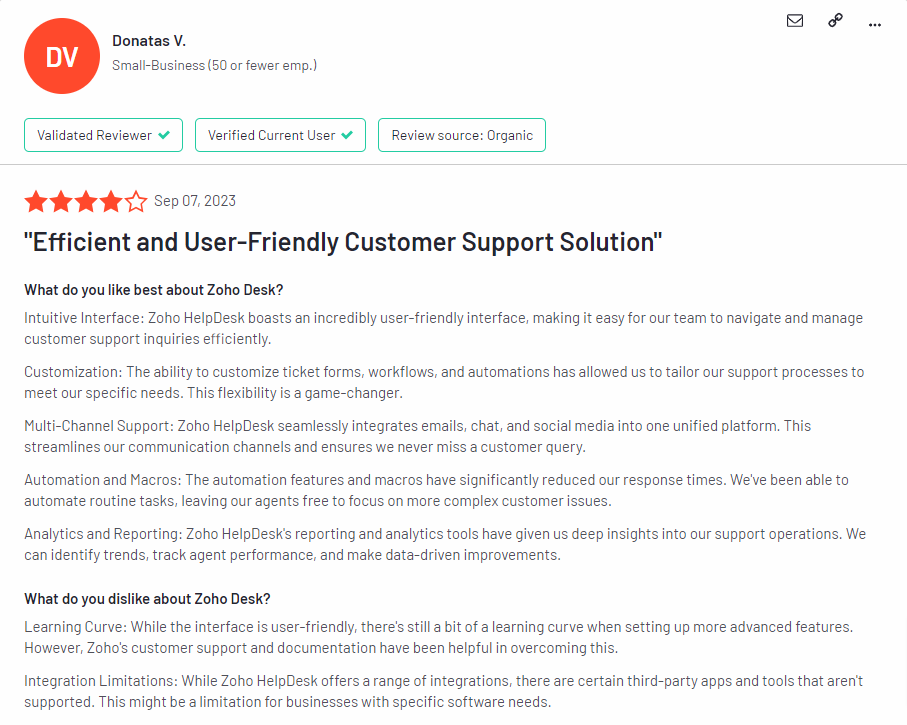
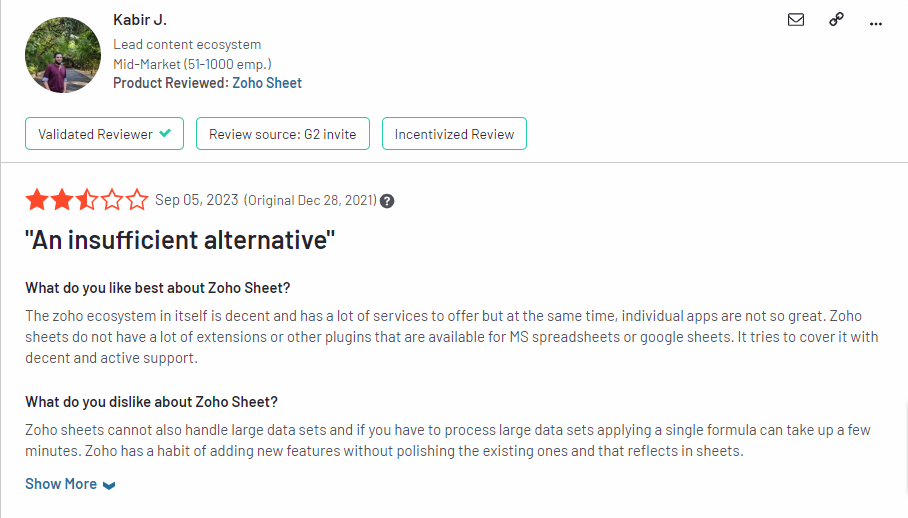
顧客の間では、いくつかの共通するパターンに概ね共通認識が見られる。.
私たちのおすすめ: Zendesk. Acknowledging that this is a subjective category we looked at 100 reviews for each and considering the limited sample size, Zendesk had more reviews over 4 stars compared to Zoho Desk.
Zendesk vs Zoho Desk: Pros and Cons Face-Off
ゼンデスク
| 長所 | 短所 |
|---|---|
| チケット発行、ナレッジベース、ライブチャット、自動化など、幅広い機能を備えています。 | 特に大企業にとっては高額になる可能性がある |
| 優れたカスタマーサポート | モバイルアプリはウェブアプリほど使いやすくない |
| 使いやすくカスタマイズ可能 | 一部のユーザーからパフォーマンスに関する問題が報告されています。 |
| 他の人気ソフトウェアとの連携 |
Zoho Desk
| 長所 | 短所 |
|---|---|
| More affordable than Zendesk | Not as many features as Zendesk |
| 優れたカスタマーサポート | モバイルアプリはウェブアプリほどユーザーフレンドリーではない |
| 使いやすくカスタマイズ可能 | 一部のユーザーからパフォーマンスに関する問題が報告されています。 |
| 他の人気ソフトウェアとの連携 | |
| 最大10ユーザーまで利用できる無料プランを提供 |
あなたにとって最適なのはどちらでしょうか?
Zendesk is a more comprehensive and feature-rich solution but can be more expensive. Zoho Desk is a more affordable option but doesn’t offer as many features. Ultimately, the best solution for you will depend on your specific needs and budget.
Here is a table that summarizes the pros and cons of each platform:
| 特徴 | ゼンデスク | Zoho Desk | スライブデスク |
|---|---|---|---|
| 価格 | Starts at $69/month | 月額$20から | 月額$25から |
| 特徴 | Live chat, ticket management, knowledge base, self-service portal, automation, reporting and analytics | Ticket management, Self-service portal, knowledge base, automation and reporting | Ticket management, live chat, knowledge base, shared inbox, self-service portal and reporting |
| 使いやすさ | High complexity | 使いやすく設定も簡単 | 使いやすく設定も簡単 |
| スケーラビリティ | Scalable with good growth speed to value ratio but only at enterprise level | 成長する企業のニーズに合わせて拡張可能 | 中小企業での利用に最適 |
| コミュニティ | ユーザーと開発者からなる大規模で活発なコミュニティ | ユーザーと開発者からなる大規模で活発なコミュニティ | 活発な開発者と貢献者のコミュニティ |
| カスタマーサポート | 24/7 support via email, chat and phone | 24/7 support via email, chat and phone | 24/7 support via email, chat |
ThriveDesk: Customer Support solution for Startups and SMBs

In addition to Zoho Desk vs JIRA Service Management, alternative helpdesk solutions are available in the market. One such alternative worth considering is ThriveDesk. ThriveDesk is a feature-rich helpdesk solution that offers a comprehensive set of tools to manage customer support effectively.
スライブデスク は、豊富な機能と強力かつシンプルなライブチャットアシスタントを求める企業向けに特化して設計されたヘルプデスクソフトウェアです。さらに、Shopifyビジネスオーナーにとって、最もコスト効率が高く、軽量で、高速なライブチャットソリューションです。.
ThriveDeskは、中小企業がリアルタイムの顧客コミュニケーションを管理できるようにします。 共有受信トレイ, instant replies, file sharing directly from the chat widget, emojis for effective communication, satisfaction surveys, sales tracking reports for eCommerce, knowledge base search, and monitoring capabilities, you can efficiently handle your Wix store operations.
ご安心ください。ThriveDeskの軽量設計とスピードは、お客様の業務のパフォーマンスに影響を与えません。 Wixで構築されたeコマースウェブサイト. 最適化されたエージェントインターフェースにより、迅速な応答が保証され、最大限の効率性を実現すると同時に、ウェブサイトのスムーズな動作を維持します。.
G2で5つ星中5つ星の評価を得ているThriveDeskは、ユーザーから非常に高く評価されています。.
ThriveDeskの主な機能:
- 匿名ライブチャット
- セルフサービスポータル(WPPortal)
- サードパーティ統合
- パフォーマンス指標
- Live チャット
- ワークフロー管理
- アラート/エスカレーション
- チケット管理
- 顧客データベース
- メール管理
- 豊富な知識ベース
- アンケートとフィードバック
- ThriveDeskの料金は月額わずか$25からとなっています。.
ThriveDeskのメリット:
- 費用対効果が高く、エージェントのコストを削減します。
- 顧客の手間を最小限に抑える
- インストールと使用が簡単
- スムーズなオンボーディング体験
- チャットのやり取り間のシームレスなナビゲーション
- リアルタイム応答
- ThriveDeskは、ユーザーフレンドリーなインターフェースと豊富なリソース(コミュニティ、共有メールボックス、ライブチャットなど)を備えているため、Wixユーザーの間で人気が高く、信頼されているツールです。その信頼性と使いやすさから、強くお勧めします。.
ThriveDeskのデメリット:
- ネイティブモバイルアラートの欠如
With ThriveDesk, you can supercharge your website’s growth and stream
Conclusion: Zendesk vs Zoho Desk for Your Business
When choosing between Zendesk and Zoho Desk for your business, it’s essential to consider various factors, including your specific needs, budget, and growth expectations. Both platforms offer valuable features and capabilities, but the ideal choice depends on your unique circumstances.
The choice between ゼンデスク そして Zoho Desk remains similar in businesses across various industries. Zoho Desk continues to be an excellent, cost-effective solution for businesses prioritizing budget-conscious decisions. Its robust feature set, affordability, and scalability make it a compelling option.
On the other hand, Zendesk appeals to businesses seeking a comprehensive platform with a wide array of features, even though it may come at a higher price point. This choice suits larger enterprises or those with specific needs that require advanced functionality.
Consider your business’s size and requirements, budget constraints, and long-term growth plans when selecting between Zendesk and Zoho Desk. Additionally, exploring alternative options like スライブデスク may provide a more tailored and cost-effective solution for your unique business needs.